
Testing
How the test suite is organized: JVM unit tests, Compose and instrumented device tests, and the Rust host tests for the grammar engine.
WM Keyboard’s tests span three runners: plain JVM unit tests, Compose and instrumented tests that need a real device or emulator, and a small Rust suite for the offline grammar engine. Which one a piece of code gets depends on whether it touches the Android framework at all.
Running the JVM suite
Section titled “Running the JVM suite”./gradlew unitTestsunitTests is a task in the root build, and it exists because a bare flavored task name no longer reaches the whole project. :app carries the languages flavour dimension and the library modules do not, so :app’s suite is testFullIntlDebugUnitTest while every core/* and feature/* module still declares testFullDebugUnitTest. Running the bare testFullDebugUnitTest therefore runs the libraries and silently skips all of :app, which is most of the tests. unitTests depends on both spellings. Swap in testLiteDebugUnitTest (or :app:testLiteIntlDebugUnitTest) to run a suite against the lite flavor. See building from source for what the flavors change.
Almost all of it lives in one place:
| Module | JVM test files |
|---|---|
app | 345 |
feature/ime | 74 |
feature/tools | 12 |
core/language | 18 |
core/tools | 18 |
core/theme | 4 |
core/emoji | 2 |
core/keyman | 7 |
core/common | 1 |
core/intelligence | 1 (in src/testFull/, full-flavor only) |
345 of 482 test files (about 7 in 10) sit in app/src/test/, and 12 of the 21 core/*/feature/* modules have no test source set at all. That’s a leftover of how the codebase was split into modules rather than a rule anyone enforces. Tests mostly stayed where they were written. It also means ./gradlew unitTests is the command you want almost all the time, since scoping to a single module rarely saves you much.
Instrumented and Compose UI tests
Section titled “Instrumented and Compose UI tests”Some things can’t be checked without a device or emulator: real Compose layout, and anything that leans on the platform’s actual implementation of an API rather than the desktop JVM’s. Those live under src/androidTest/, and only app has any, 14 files in total. Run them from Android Studio with a device or emulator attached (right-click the test class or the androidTest source set, then choose Run), or through Gradle’s connected-device test task for the flavor you’re building.
Ten of the fourteen are CJK input method end-to-end tests: Pinyin, stroke input, Japanese romaji and flick, dictionary download resume, and so on. See Chinese, Japanese & Korean for what that input method does. The other four are a mixed set, and two of them are worth knowing by name:
app/src/androidTest/.../ime/ui/KeyRowsVisibilityTest.ktcomposes the real keyboard screen withcreateComposeRule()and asserts that the key grid is on screen while a plugin panel is open. It’s the enforcement half of a pair. A companion JVM test reads the source for the same bug pattern, a panel that shrinks to make room for its own UI but forgets to draw the keys underneath. That source check is cheap, and it would keep passing if the call site were reworded instead of fixed.KeyRowsVisibilityTestcomposes the actual screen, so it only passes when the keys really render.app/src/androidTest/.../core/icons/SvgParserAndroidTest.ktexists because of a bug the JVM suite structurally cannot see. The SVG parser asksSAXParserFactoryto disable a Xerces-specific parser feature. Desktop Java accepts the call, but Android’s SAX implementation throws for anything other than the twonamespacesfeatures. The call sat insiderunCatching, so on a real phone every icon silently failed to parse and every icon pack import was broken, while the JVM suite stayed green. Anything that leans on Android’s own implementation of a standard API needs a test running on the platform.
Robolectric now gives a JVM unit test a simulated Context or View when it needs one. GlideServiceHarness.kt uses it to drive WMKeyboardService itself, right on the JVM. Reach for an instrumented test only when the code leans on the platform’s own implementation of an API, not Robolectric’s simulation of it.
Native tests
Section titled “Native tests”The offline grammar tool is backed by a Rust crate (native/harper-jni, wrapping Harper’s harper-core), and it carries its own host-side test suite, independent of Gradle:
cd native/harper-jnicargo testTwo tests today. One asserts that a sentence with obvious errors (“He go to the store yesterday.”) produces a non-empty lint result. The other is a regression guard that the lint pipeline doesn’t panic on text containing an emoji, which checks the UTF-16-versus-character offset math the JNI bridge has to get right when it hands span positions back to Kotlin. cargo test exercises the lint-to-JSON path directly, with no Android involved. Cross-compiling the crate down to libharper_jni.so for the app is a separate step, covered on the building from source page.
Why the engine logic is JVM-testable at all
Section titled “Why the engine logic is JVM-testable at all”It would be easy to assume “core modules don’t touch Android,” but that isn’t quite right. Every one of them is an Android module: the 17 core/* and three of the four feature/* apply com.android.library, the Play-only feature/llm applies com.android.dynamic-feature, and all of them declare a minSdk. Most mix framework-coupled code with framework-free logic in the same module. What makes a class testable on the JVM is that it specifically avoids android.*/androidx.* imports, not that its module does.
Even the modules that look closest to framework-free aren’t. core/icons, core/addons and core/plugins (the Lua sandbox) are light on android.*/androidx.* references, but each has one file (IconPackStore.kt, AddonStore.kt and PluginStore.kt) whose companion object takes an android.content.Context to resolve its on-disk storage directory, and a few more that reach for androidx.annotation.StringRes or a Context to resolve a label. Everything else in those three modules is plain Kotlin, which is why the parsers and the sandbox are JVM-testable while the stores are not.
core/tools shows the same split at a different ratio: 22 of its 59 source files import android.* or androidx.*, mostly for things like the calendar provider, and the 18 classes with unit tests sit on both sides of the line. DictionaryClient.kt has no Android imports at all; WeatherClient.kt and CalendarDefaults.kt pull in androidx.annotation.StringRes and the module’s own R for their user-facing strings, which the JVM suite is happy with because neither touches a Context. The dictionary compiler is the clean case: tools/dictc is the one genuinely pure-JVM module in the tree (plain kotlin("jvm"), no Android plugin). It works because it reuses core/prediction’s trie and codec source files directly. Those were already framework-free, so the same .kt files compile standalone into the offline tool that builds .wmdict files.
Testing on a device
Section titled “Testing on a device”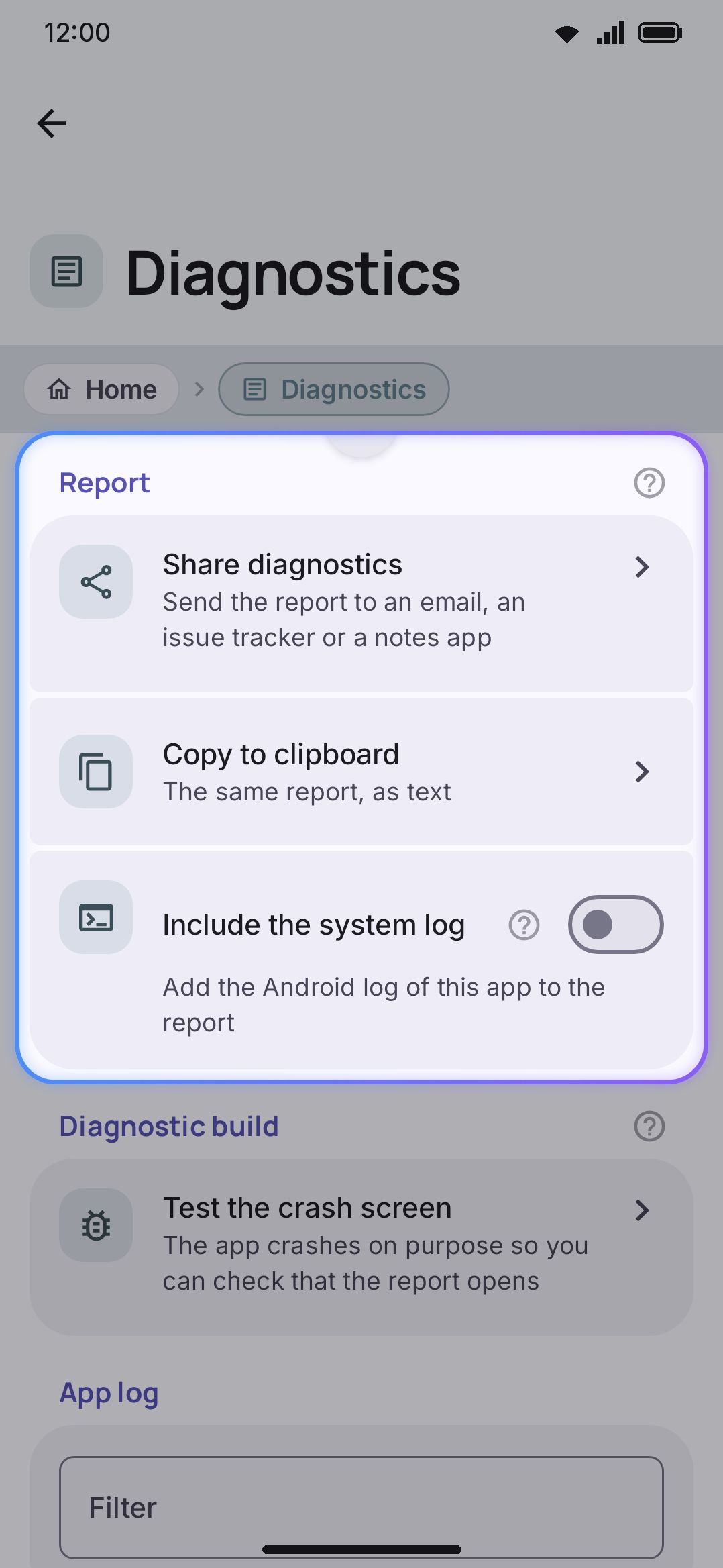
Once you’ve built and installed a flavor, set WM Keyboard as your active input method before you test gesture or layout changes. To check which IME is currently active, run adb shell dumpsys input_method | grep mCurId.
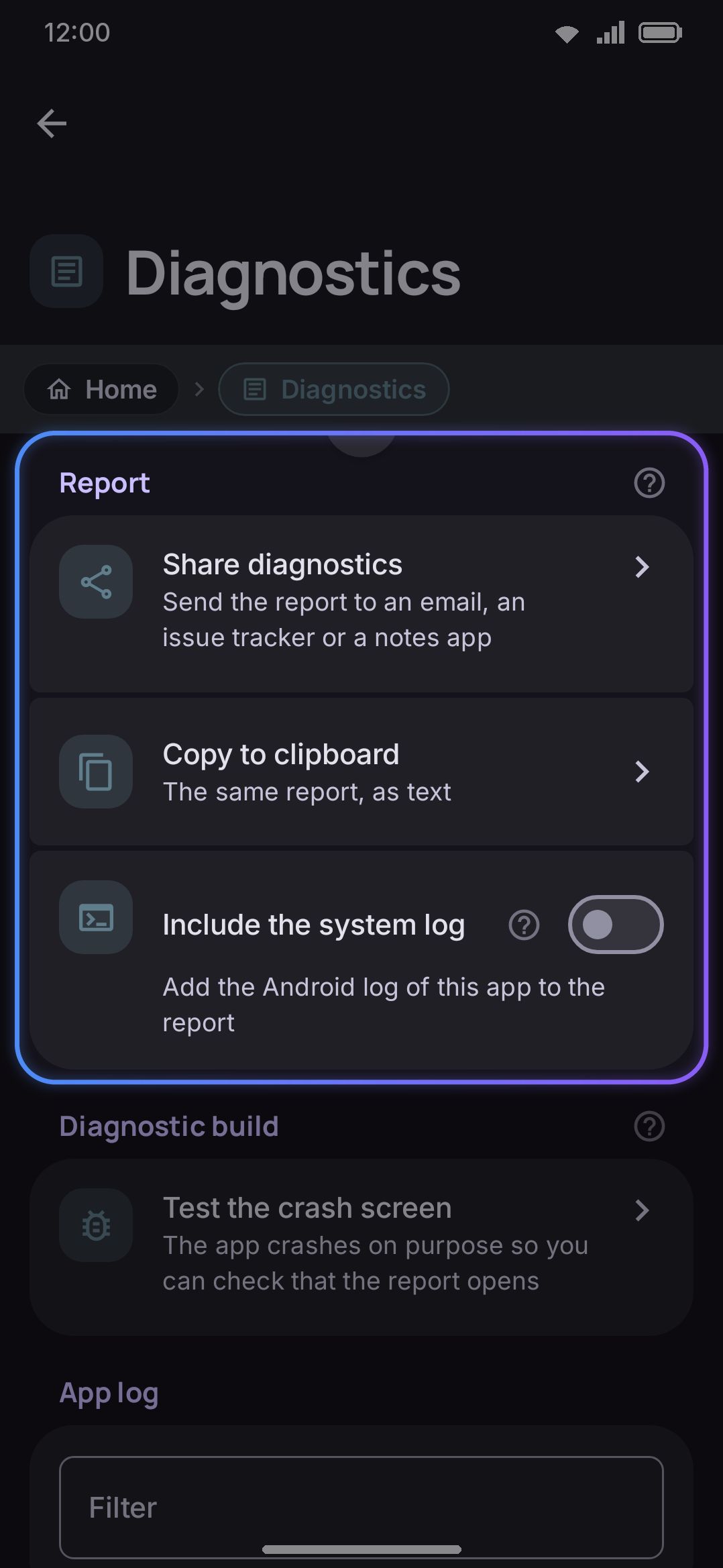
When something breaks while you’re testing by hand, check WM KeyboardAboutDiagnostics before you go looking for a logcat. It’s an always-on, in-memory ring buffer the keyboard writes to itself, so there’s no debug flag to remember to flip before you reproduce the problem. Alongside it sits a small crash record kept in device-protected storage, which means a crash on the lock screen survives the process dying.
The screen’s own intro line is exact about what’s in it: “The keyboard never records what you type.” Call sites pass what happened, never what you typed, which is what makes the report safe to paste into an issue without reading it line by line first. There’s also an opt-in Include the system log toggle, off by default, that adds this process’s own logcat output, meaning everything the app’s libraries printed rather than only what the keyboard chose to record. Turn it on for a hard-to-reproduce bug. Leave it off otherwise, since the keyboard doesn’t control what ends up in it.
Profiling a slow frame
Section titled “Profiling a slow frame”Release builds carry <profileable android:shell="true" />, so adb shell am profile and simpleperf attach to whatever build is actually on the phone. Without it the shell refuses with “not debuggable, and not profileable by shell”, and the only way to see inside a frame is a debug build — which is not the build anyone is running, and whose timings are not the ones to trust. It grants the shell user nothing else: no debugger, no run-as, no access to app data.
For the cheaper question of whether a frame was late, adb shell dumpsys gfxinfo com.wasimaster.wmkeyboard framestats prints the last 120 frames as CSV. Subtract IntendedVsync from FrameCompleted for the frame’s own cost, and compare consecutive IntendedVsync values: a gap much wider than one refresh interval is dropped frames, which is what a stutter actually is. reset before the interaction and read it straight after.
To see where a long frame went, adb shell atrace --async_start view gfx sched, do the thing, then --async_stop. Compose runs its measure and layout pass from AndroidComposeView.dispatchDraw, so a screen that is slow to compose shows up as one enormous Record View#draw() rather than under measure or layout, which is the opposite of where you would look first.
Details & edge cases
Section titled “Details & edge cases”- The unit-test task name is flavor-specific, not module-specific.
testFullDebugUnitTestruns against thefullflavor’s dependency set (ML Kit, Whisper, and the rest). If you’re chasing a bug that only reproduces in thelitebuild, you needtestLiteDebugUnitTest, not a different module scope. And in:appalone the name carries the language flavour too, so it istestFullIntlDebugUnitTestthere. - A green JVM suite doesn’t mean the feature works on a phone. The
SvgParserAndroidTeststory above is the concrete example: the JVM’s XML stack silently tolerated a call Android’s SAX parser rejects outright. If a class calls into an Android or platform API rather than pure Kotlin, treat JVM-green as provisional until it has also run on a device. appis where almost everything lives, tests included. If you’re adding tests for new logic and the surrounding code is inapp/src/main, its test belongs inapp/src/testalongside the rest. That isn’t an oversight. It matches where about 72% of the existing suite already sits.- Static analysis (
./gradlew staticAnalysis, lint plus detekt) is a separate gate from either test suite. It’s covered on the building from source page, not here.
Found a bug while testing and want to file it well? Pull the report from WM KeyboardAboutDiagnostics rather than describing what you saw from memory. See privacy at a glance for what else the app does and doesn’t record about you.