
Chinese, Japanese & Korean
Composer-based CJK input with a candidate bar and on-device learning.
Chinese and Japanese aren’t typed directly: you type a reading (pinyin, bopomofo, a radical code, romaji) and pick the character it means from a candidate bar. Korean is different: Hangul jamo assemble into syllable blocks on their own, so it types and suggests like any other language. This page covers both.
Two different input flows
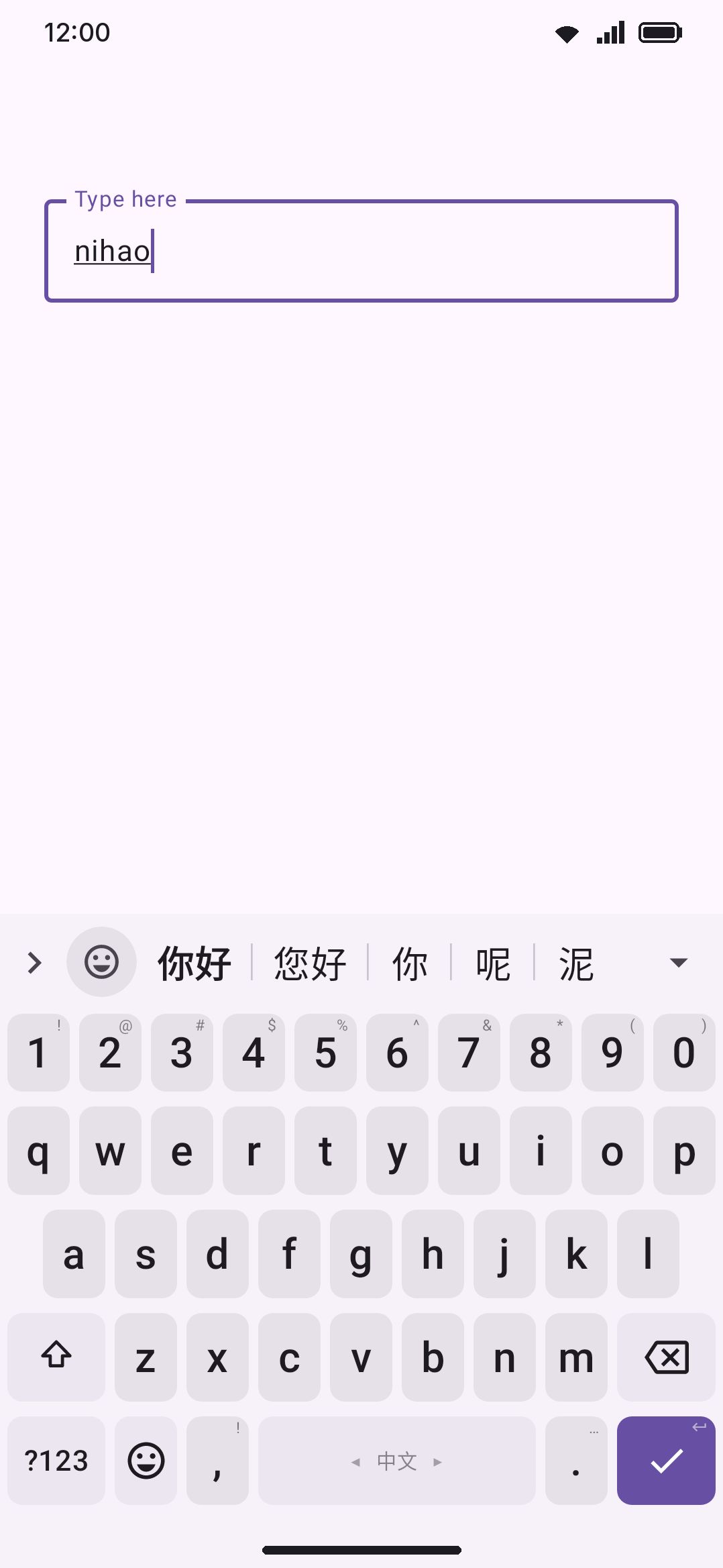
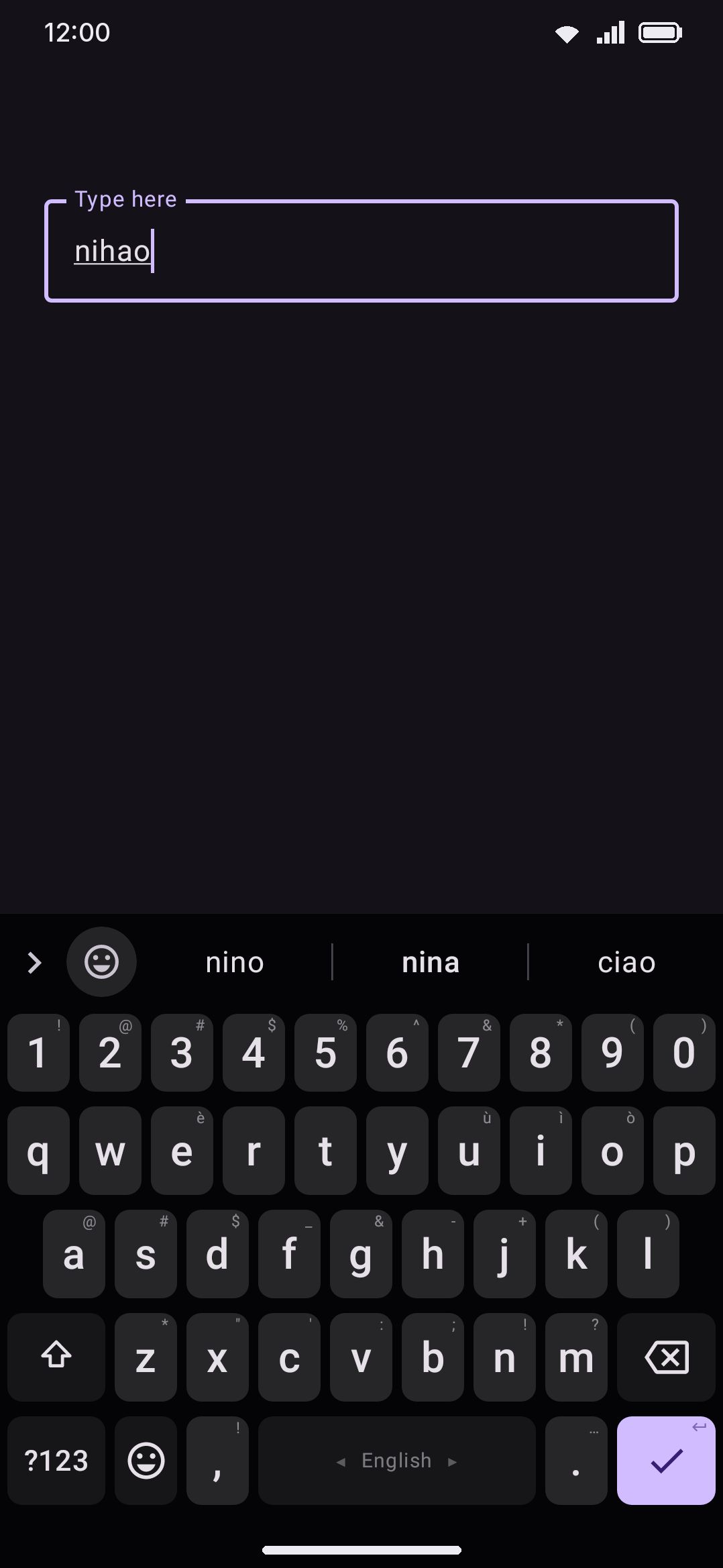
Section titled “Two different input flows”Conversion input methods (Pinyin, T9 Pinyin, Zhuyin, Cangjie, Cangjie Quick, Stroke for Chinese; Jyutping for Cantonese; Romaji, Flick, and Kana JIS for Japanese) hold what you type in a composing buffer and replace the entire suggestion strip with ranked character/word candidates. Nothing commits until you pick a candidate, press space, or otherwise flush the buffer.
Korean types the other way. HangulComposer composes jamo directly into syllable blocks (ㄱ + ㅏ + ㄴ → 간) with no reading step and no candidate list. There’s nothing to convert. Three keymaps ship: the standard two-set (두벌식) grid, where one key is ㄱ whether it starts or ends a syllable and the composer decides by position, and the two three-set (세벌식) grids, 390 and Final, whose keys say for themselves whether they are an initial or a final. On a three-set grid a tense initial is typed by pressing the plain one twice (ᄀ ᄀ → ㄲ), and a vowel after a final never pulls that final into the next syllable. Korean typing gets the ordinary word-suggestion and autocorrect strip instead, backed by a real downloadable dictionary (see Downloadable dictionaries). If you’ve used a Chinese or Japanese IME before, don’t expect Korean to work the same way. It’s a direct phonetic keyboard.
Chinese input schemes
Section titled “Chinese input schemes”Chinese carries six layouts. Adding it from the language catalogue turns on Pinyin alone, and the other five are a tap away on Chinese’s own screen:
| Layout | Reading unit | Buffer commits |
|---|---|---|
| Pinyin | Romanized syllables (ni, hao) | Prefix: a multi-syllable buffer offers the whole phrase plus its leading syllables |
| T9 Pinyin | Same syllables on a 9-key/T9 grid (ABC/DEF/GHI…) | Prefix |
| Zhuyin (Bopomofo) | ㄅㄆㄇㄈ… symbols, with four dedicated tone-mark keys (ˇˋˊ˙) | Prefix |
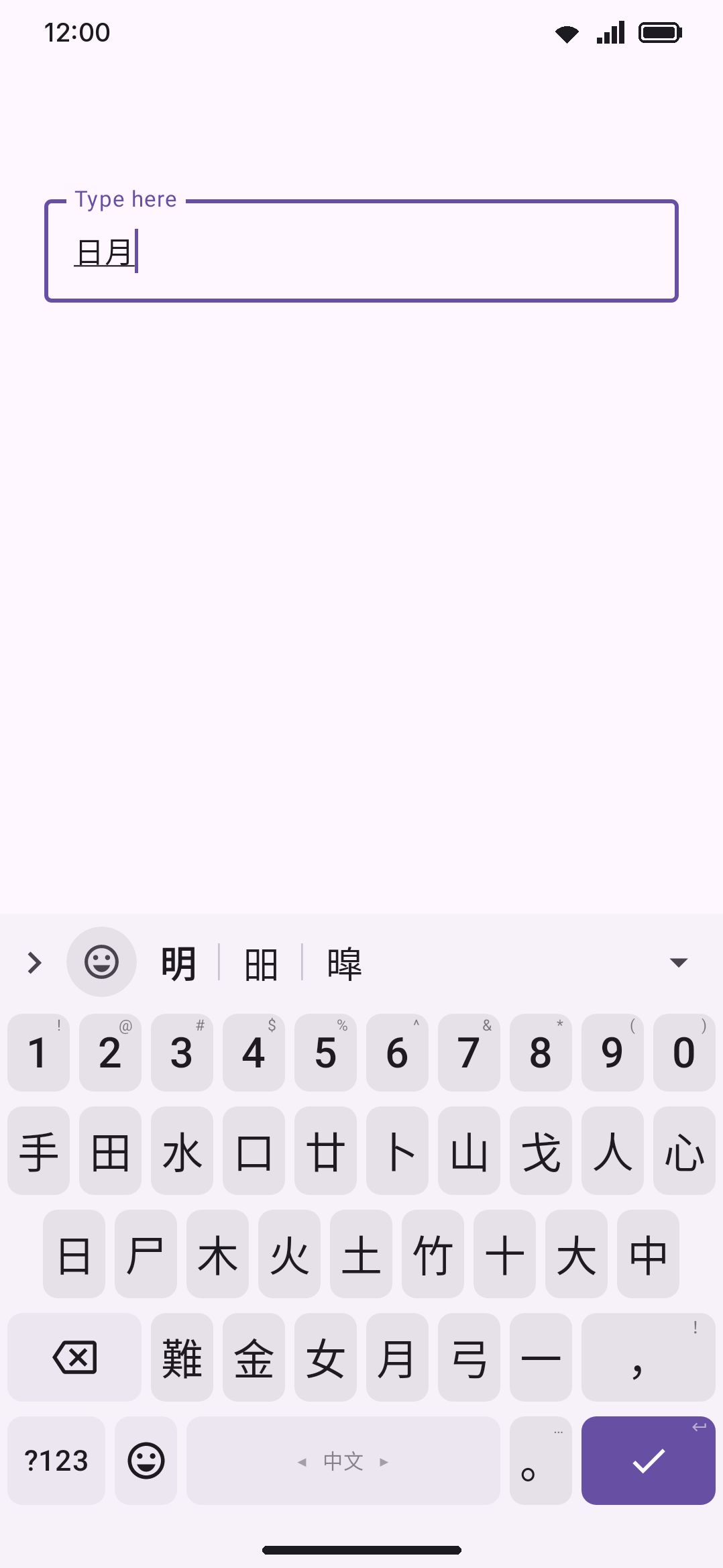
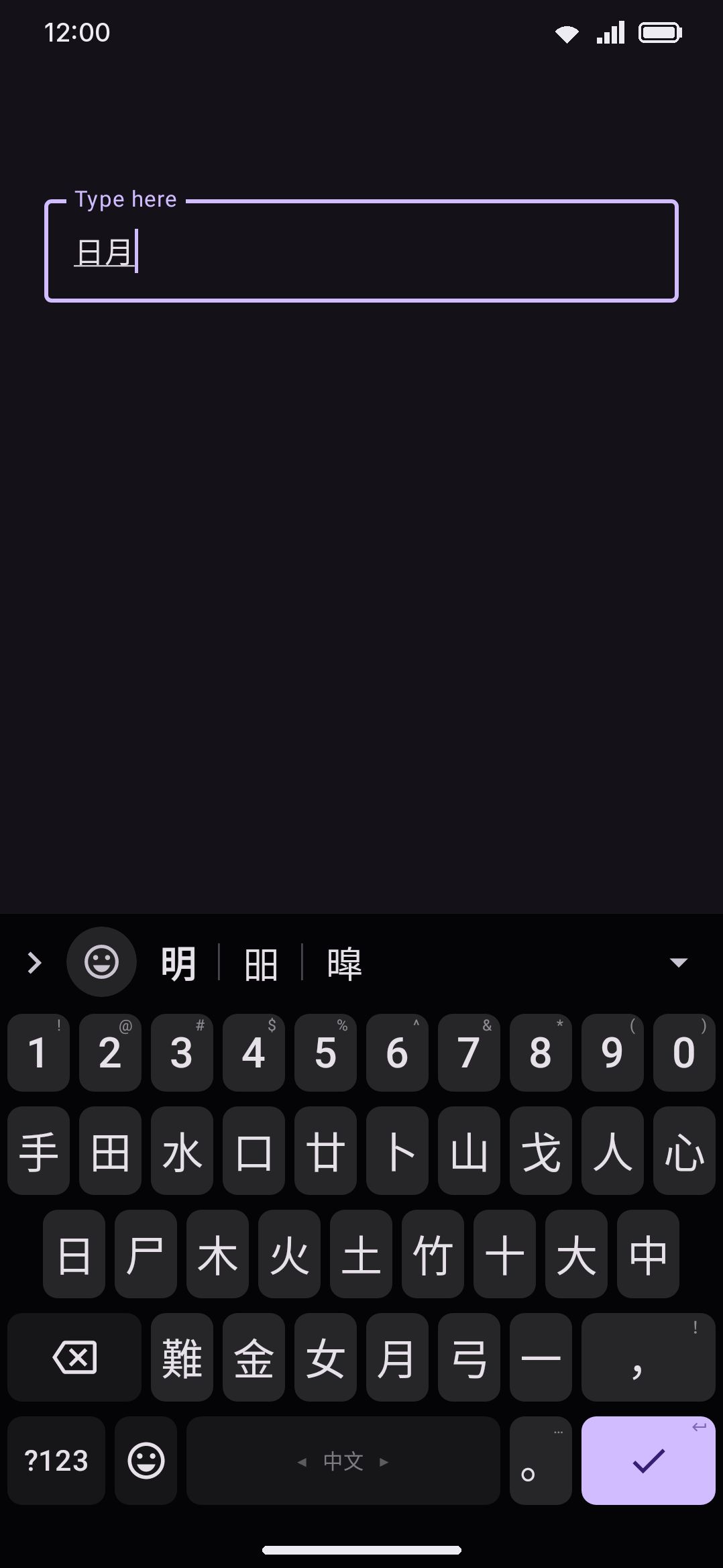
| Cangjie (倉頡) | Up to five radical keys, a–y, each printed as its radical glyph | Whole buffer: one code run is one character |
| Cangjie Quick (速成) | Just the first and last radical of a character | Whole buffer |
| Stroke (笔画) | Five stroke-class keys (一丨丿丶乙) plus a * wildcard for an uncertain stroke | Whole buffer |
Pinyin, T9 Pinyin, and Zhuyin are all prefix-commit: type nihao and the strip offers 你好 first, then leading-syllable candidates like 你 alone. Tapping one consumes only the part of the buffer it covers and re-converts the rest, so you don’t have to clear the buffer between characters. Cangjie, Cangjie Quick, and Stroke are the opposite: shape and stroke codes map to exactly one character each, so a commit always consumes everything you’ve typed.
Zhuyin and T9 Pinyin don’t need their own dictionary. They reuse the Pinyin pack and translate each segmented syllable to its pinyin spelling. Cangjie and Cangjie Quick share one radical-code table. Stroke and Jyutping (below) each have their own pack.
Cantonese: Jyutping
Section titled “Cantonese: Jyutping”Cantonese is a separate language entry (not a Chinese sub-option) with one layout: standard QWERTY plus a permanent digit row, so the tone numbers 1 to 6 are one tap away. It’s a prefix-commit conversion scheme like Pinyin, with its own 163k-entry Jyutping→Hanzi dictionary.
Double Pinyin
Section titled “Double Pinyin”For Pinyin typists who want fewer keystrokes, Double Pinyin encodes every syllable as exactly two keys (one for the initial, one for the final), which the composer expands to full Pinyin before segmenting as usual. Five real schemes are available: Microsoft, Sogou (identical key table to Microsoft), Xiaohe (小鹤), Ziranma, and Pinyin++. Turning one on replaces the syllable-typing rules on the same Pinyin layout. It isn’t a separate keyboard.
Fuzzy Pinyin and lazy Jyutping
Section titled “Fuzzy Pinyin and lazy Jyutping”Two independent toggles relax reading matching for imprecise typing:
- Fuzzy Pinyin treats commonly-confused sounds as equivalent, so a syllable typed loosely still finds its characters. It’s eleven switches rather than one: six initial groups (zh↔z, ch↔c, sh↔s, n↔l, r↔l, f↔h) and five nasal-ending groups (an↔ang, en↔eng, in↔ing, ian↔iang, uan↔uang), each with a row of its own and all on once the master switch is on. That way you can take the regional nasal endings without paying for n↔l on every syllable that starts with either. Switch one off and a Match every pair again row appears to put them all back.
- Lazy pronunciation (懶音), Cantonese-only, matches the sound mergers common in Hong Kong speech: n↔l, an initial ng- that can drop entirely (我 ngo5 → o5), gw→g and kw→k before a rounded final only (國 gwok3 → gok3, but never 誇 kwaa1 → kaa1), and the coda mergers toward the alveolar place (-ng/-n, -m/-n, -k/-t and -p/-t). It also takes z↔j and c↔ch, which aren’t 懶音 at all but Yale-era romanization habit. Every merger works in both directions, because hypercorrection is as common as the merger itself.
Fuzzy Pinyin is off by default and lazy pronunciation is on, and they change ranking rather than what you can type. A precisely-typed reading still works exactly as before. Japanese has a matching of its own for the flick pad, covered under Kana without marks.
Traditional characters and regional wording
Section titled “Traditional characters and regional wording”A single toggle switches candidate output from Simplified to Traditional Han, applied character-by-character as each composer builds its candidate list (not as a find-and-replace afterward, which would break prefix-commit matching). One character can map to several traditional forms depending on context, and the keyboard picks the more common one. Occasional mismatches (like 发 mapping to 發 in most contexts but needing 髮 in a word like hair) are a known limitation, not a bug to report.
With Traditional on, a second control appears: a region picker (Standard / Taiwan / Hong Kong) that also swaps regional vocabulary: Taiwan’s 計程車 instead of the mainland’s 出租車 for “taxi,” for instance. This affects whole dictionary words, not individual characters, so it only kicks in where the candidate is a complete match in the regional phrase table.
Both the Traditional toggle and the region picker also appear on the Japanese language screen, but they have no effect there. Japanese candidates never pass through this conversion at all.
Japanese input
Section titled “Japanese input”Japanese ships three layouts, all feeding the same composer:
- Romaji: type romanized Japanese on a standard QWERTY layout. Keystrokes transduce to hiragana as you type, handling doubled consonants as っ, disambiguating ん, and recognizing yōon combinations like きゃ.
- Flick: a 12-key pad with kana glyphs directly on the keys. Flick a key in a direction to reach its row-mates (あ flicks left/up/right/down to い/う/え/お).
- Kana JIS: each key emits a kana glyph directly, matching the physical JIS Japanese keyboard layout.
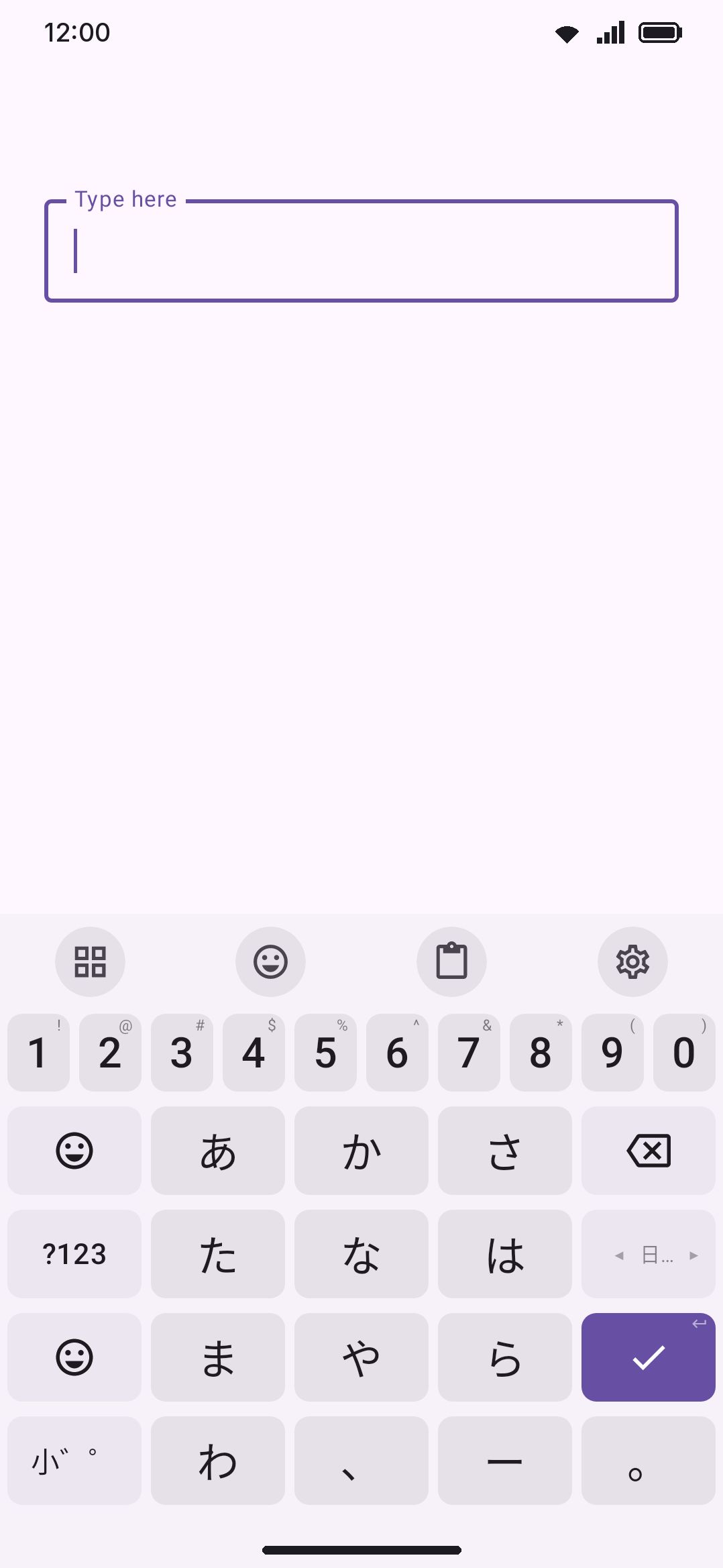
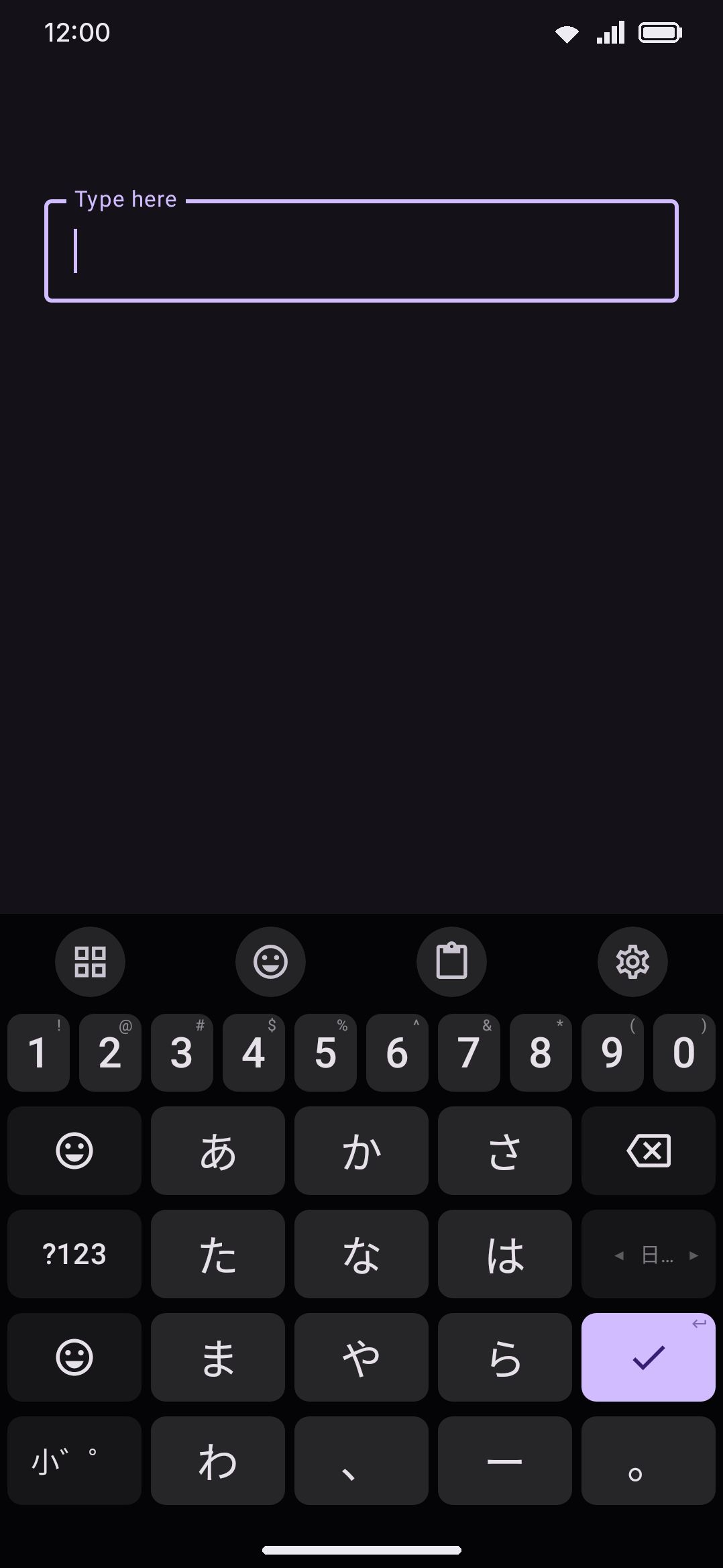
The Flick pad is an ordinary layout, so you can change it in the layout editor. Each key’s sheet has a field for every flick direction, and the editor’s preview draws a key’s flicks around its edges, so you can see and move every kana on the pad. Any key of a Japanese layout can also be told to become 小゛゜ after a kana: while the last kana you typed has a small, ゛ or ゜ form, that key shows 小゛゜ and changes it, and once the word is done it goes back to its own job. Give that job to the globe or emoji key and the separate 小゛゜ key can go, which is how phone kana pads save the space.
All three read the same kana or romaji into JapaneseComposer, which converts kana readings to kanji/word candidates using a Mozc-derived dictionary. If nothing in the dictionary matches (or before you’ve downloaded the pack at all), the reading still commits as plain hiragana, katakana, or half-width katakana, so every Japanese layout works as a bare kana keyboard with zero setup.
Kana without marks
Section titled “Kana without marks”On Flick and Kana JIS, every small kana, ゛ and ゜ is an extra key. Match kana without marks lets you leave them off: type かつこう and the candidates still offer 学校, which the dictionary files under がっこう. Each plain kana is also read as the forms the 小゛゜ key would cycle it through (か as が, は as ば or ぱ, つ as っ or づ, や as ゃ, a vowel as its small form), anywhere in the word and as many times as the word needs, so しゆきよう reaches 授業.
It only ever adds marks. A が or a っ you typed was asked for by name and is never read back as か or つ. Each guessed mark costs the candidate a little, so between two words of about the same frequency the one spelled exactly as you typed it comes first, while a clearly more common marked word leads: かつこう opens with 学校 ahead of the given name 葛洪, and かき still opens with 書き, 描き and 下記 before 鍵 arrives. Nothing the exact spelling offered is removed, so expect a longer list rather than a different one. What’s left in the field while you compose is the kana you typed; the marks arrive with the candidate you pick. Picks are learned against the dictionary’s reading, so 学校 moves up whether you next type it with its marks or without.
Romaji is never widened. ga costs exactly what ka does on a QWERTY layout, so kaki means かき and nothing else, which keeps the strip as tight as it was.
Full-width space
Section titled “Full-width space”Japanese and Chinese text is spaced with the ideographic space (U+3000, 「 」), which is as wide as a character, rather than the narrow space between words in other languages. Turn on Full-width space in the language’s options and the space bar types it. It is set per language, off by default, so you can have it for Japanese and not for Chinese. A space pressed while a reading is still waiting to convert picks a candidate as it always has; only a press with nothing composing types a space.
The candidate bar
Section titled “The candidate bar”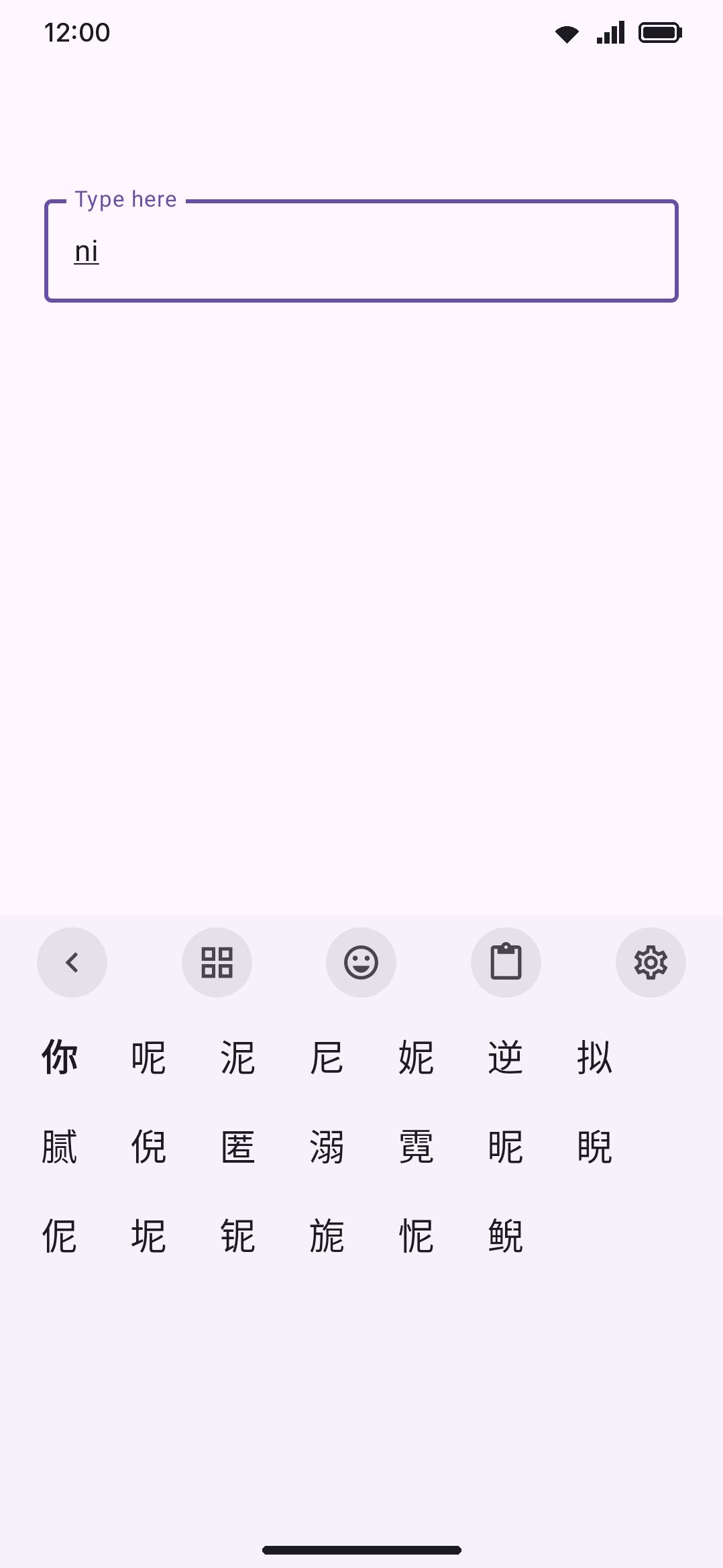
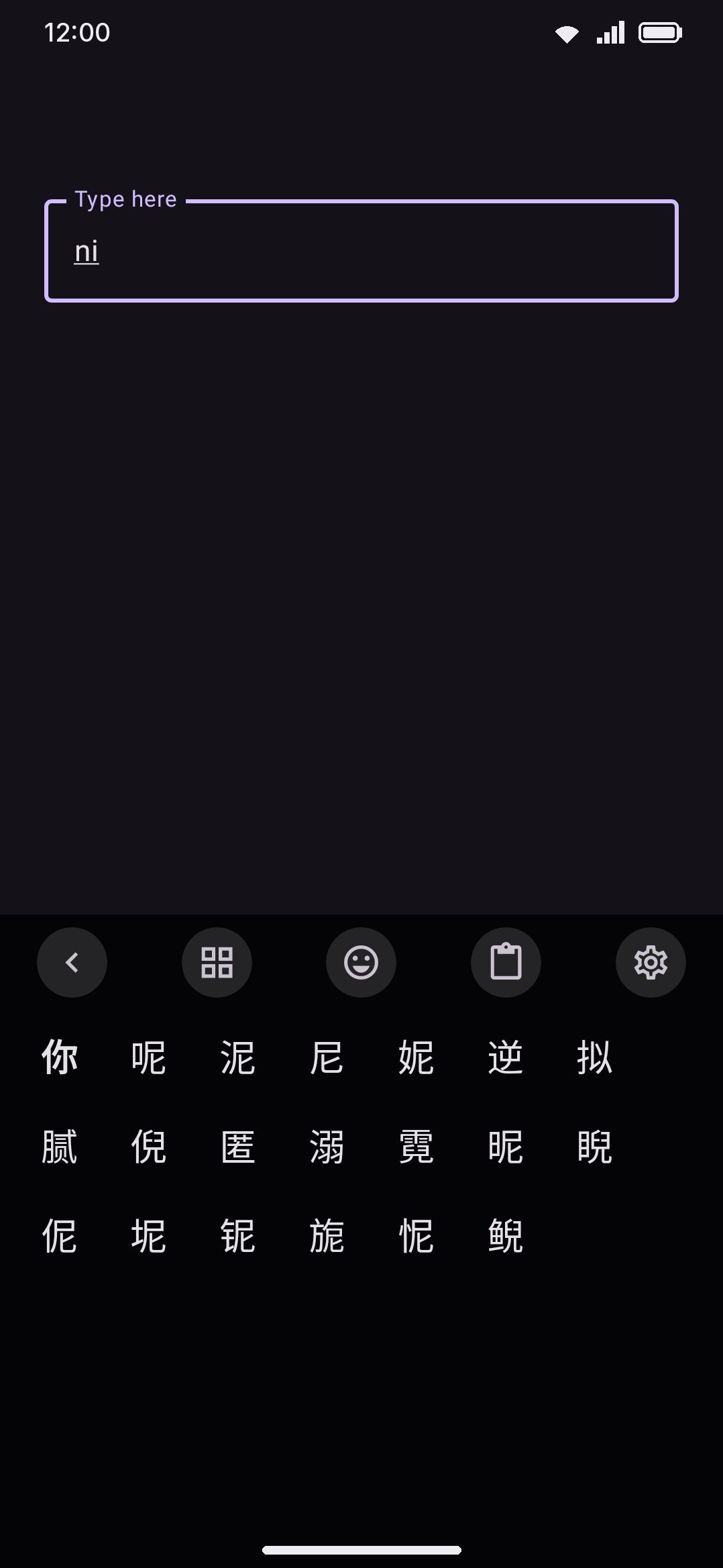
Whenever a conversion composer has a non-empty buffer, the usual word-suggestion strip is replaced by a horizontally-scrolling row of ranked candidates. They’re sized to their text and packed from the left rather than spaced evenly, so the best candidate stays in a consistent spot instead of jumping around as the list changes length. A chevron at the end opens an expanded view, and it sits outside the scrolling area so it never scrolls off. That expanded view is a wrapping grid, and it covers the key rows while it’s open, the same way Sogou, Baidu, and QQ handle it. By then you’re choosing a character rather than typing one. Neither view pages. Both scroll.
Tapping a candidate (in the strip or the grid) resolves by its position in the ranked list, not by its text, because the same word can legitimately appear twice at different reading lengths (a Japanese reading might list 行 for both い and いき). Only the part of your typed buffer that the candidate covers gets deleted. The rest re-converts. Space is the fast path: it commits the top-ranked candidate for the leading syllables and moves on, so repeated space presses walk a whole sentence through without ever opening the strip. No path here adds a trailing space, since Chinese and Japanese don’t put spaces between words. Any other commit (punctuation, Enter, moving the cursor, switching layout, or leaving the field) instead flushes the whole buffer by repeatedly taking the top candidate until nothing’s left, so you’re never stuck holding an unconverted reading.
If a reading has no dictionary match at all, it always falls back to committing what you typed as-is (raw pinyin letters, kana, or a stroke code) rather than trapping you in an empty buffer.
The candidate bar is not the ordinary suggestion strip wearing a different coat, and it isn’t switched off by the things that switch that strip off. Turning Suggestions off, or typing into a field that asks for a silent strip (search and filter boxes, address bars, email fields, password boxes), leaves the candidates exactly where they are. For a conversion method the candidate list is the input method, so hiding it wouldn’t quiet a guess, it would stop you typing the language at all. Password boxes convert too, and what they don’t do is remember the pick afterwards, which is the same rule the rest of the keyboard’s learning follows.
Learning from your picks
Section titled “Learning from your picks”Every candidate you pick from the strip or the grid is remembered against the reading you typed, and so is the one a space press commits. Two paths teach nothing: the flush that happens when you leave the buffer some other way (punctuation, Enter, moving the cursor), and a reading the dictionary couldn’t convert at all, since the raw-reading fallback is in no ranked list. The next time the same reading comes up, your previously-chosen candidates move to the front (most-picked first) while everything else keeps the order the dictionary gave it. It’s a reordering of your own history, not a blended relevance score, so a candidate you’ve never picked never gets promoted just because it’s common in general.
Learning is scoped separately per reading system (pinyin, T9 Pinyin, zhuyin, jyutping, and Japanese kana readings each keep their own history), because the same word can be spelled several different ways depending on which Chinese scheme you’re using. Cangjie, Cangjie Quick, and Stroke don’t participate in learning at all: their radical and stroke codes map deterministically to one character, so there’s no ambiguity to learn from.
This history is governed by the same setting as ordinary word learning:
WM KeyboardPrivacyLearning on this deviceLearn from typingTurning it off, using incognito mode, or typing into a field that opts out of learning all stop new picks from being recorded, exactly as they do for the regular word suggestion history.
Options
Section titled “Options”Opening a Chinese, Cantonese, or Japanese entry from the Languages screen shows a dedicated options group (this group doesn’t appear for Korean, since there’s no conversion dictionary to configure):
| Setting | Default | Applies to |
|---|---|---|
| Conversion dictionary download | Not downloaded | Chinese, Cantonese, Japanese (see below) |
| Traditional characters | Off | Shown for Chinese, Cantonese, and Japanese; only has an effect on Chinese and Cantonese |
| Regional wording (Standard / Taiwan / Hong Kong) | Standard | Same, only shown once Traditional is on |
| Lazy pronunciation (懶音) | On | Cantonese only |
| Match kana without marks | On | Japanese only, and only kana typed on Flick or Kana JIS |
| Full-width space | Off | Chinese, Cantonese, and Japanese, each on its own |
| Fuzzy Pinyin | Off | Chinese only |
| The eleven fuzzy pairs, one row each | All on | Chinese only, shown while Fuzzy Pinyin is on |
| Double Pinyin scheme | Off (full Pinyin) | Chinese only |
To clear everything the keyboard has learned from your CJK picks:
WM KeyboardPrivacyYour dataLearned wordsCJK picks live in a file of their own, but the Delete the learned words button clears the lot in one action: your typed-word history, emoji usage, autocorrect statistics, the CJK pick history and the per-app language-mix record. There’s no way to clear the CJK half on its own.
Conversion dictionaries are downloads, not bundled data
Section titled “Conversion dictionaries are downloads, not bundled data”None of the conversion dictionaries ship in the app. Until you download the matching pack, a Chinese or Cantonese layout still composes and shows the buffer, but the candidate list stays empty. Japanese is the exception: its plain hiragana, katakana and half-width katakana forms are appended to every ranking, so they’re on offer with no pack at all.
You don’t have to know that in advance. The first time you type a reading on a keyboard whose pack isn’t on the device, a chip appears on the strip naming the pack you need — “Download the Chinese Pinyin dictionary to type characters” — and tapping it opens that language’s page, where the pack’s row is. The chip asks once per pack, and the ✕ dismisses it. It never appears in a password field.
| Language | Pack | Approx. size | Coverage |
|---|---|---|---|
| Chinese | Pinyin (also covers Zhuyin & T9 Pinyin) | ~2.5 MB | ~120k entries, CC-CEDICT-derived |
| Chinese | Stroke | ~450 KB | Stroke-order table |
| Chinese | Cangjie (also covers Cangjie Quick) | ~350 KB | ~29k characters |
| Cantonese | Jyutping | ~3.4 MB | ~163k entries |
| Japanese | Kana → kanji | ~42 MB | ~1.08M entries, Mozc-derived |
The two shape-based tables have a second source. Import from FlorisBoard, in the same group, reads a FlorisBoard language pack (.flex) and fills the Cangjie or Stroke pack from the SQLite table inside it, with no download at all. Only those two land, since Wubi, Zhengma and the rest have no composer here; the app names whatever else it found back to you. See Importing other keyboards.
Each download is checksum-verified before it’s used and, once on disk, needs no further network access. See Network policy for what the keyboard contacts and when, and Downloadable dictionaries for how the separate word-list system (which does have entries for plain Japanese and Korean word suggestions, just not for the conversion dictionaries here) works.
Details & edge cases
Section titled “Details & edge cases”- A Japanese word-list download exists but does nothing for typing. Japanese has its own entry in the ordinary downloadable-dictionary catalog (see Downloadable dictionaries), but because Japanese is a conversion input method, the regular suggestion engine never runs for it. That download currently has no effect on any of the three Japanese layouts. Korean’s word list, by contrast, is fully active, since Korean isn’t a conversion method.
- The Traditional/region toggles show on the Japanese screen but are inert there.
JapaneseComposernever applies the Han-variant conversion, so leave those settings alone if you’re a Japanese-only typist. They were placed above the Chinese-specific options rather than gated per-language, but they have nothing to act on for Japanese. - Cangjie Quick needs the same dictionary as full Cangjie. With only one key typed, Quick behaves like an ordinary prefix search, since the “last” radical isn’t known yet. The second key turns it into a first-and-last shape match, which usually narrows to a handful of candidates.
- The candidate depth differs by scheme. Pinyin, Zhuyin, T9 Pinyin, Jyutping, and Japanese all rank up to 100 deep in the expanded grid. Cangjie and Stroke cap at 24, because they look candidates up from a fixed code table rather than a ranked lattice.
- There’s no “lock” or “pin” on a candidate. Once you commit one, it only affects future ranking through the learning history above. There’s no separate pinning feature to hold a candidate in place.