
Mixed-language typing
The keyboard reads which language the message in front of you is written in, and leans suggestions and autocorrect that way until you switch back.
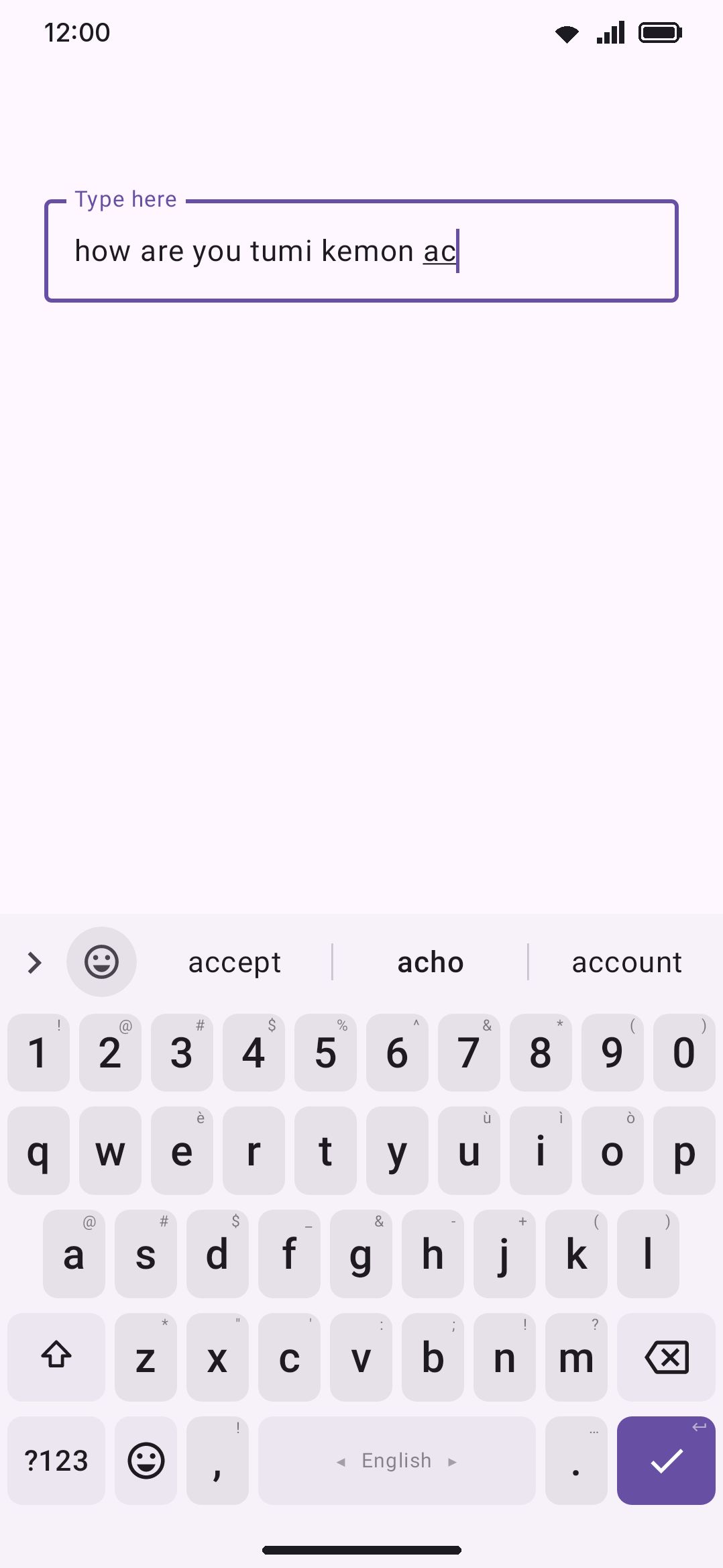
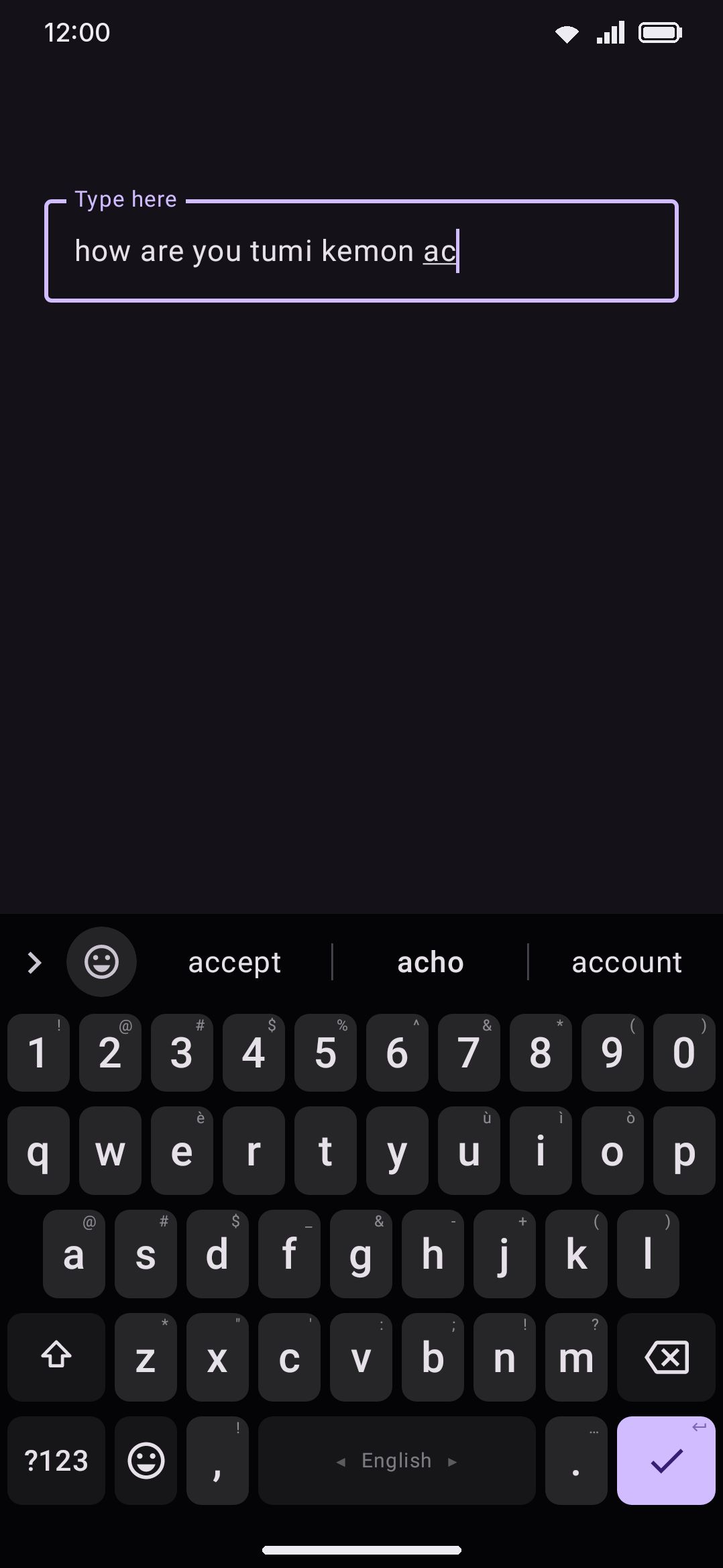
Plenty of people type two languages into the same box, on the same keyboard, in the same message. Banglish is the obvious case: “ami tomake” and “how are you” are both typed on a Latin keyboard, and both are ordinary sentences to the person writing them. Left alone, the suggestion engine treats one of those languages as the real one and the other as a stream of typos.
Detect the language you type fixes that by reading the words already in the field. Type “ami tomake” on the English keyboard and it starts behaving like the Banglish one. Type “how are you” and it swings straight back, usually within two or three words.
What it needs to work at all
Section titled “What it needs to work at all”Detection is on by default, but it is inert unless the language you’re typing has other languages to lean toward. That means Also suggest from has to name at least one other language on the language’s own screen (see Languages overview).
Romanised languages get that link for free. Enable Banglish (bn_rom) alongside English and the two are paired both ways automatically, because a romanised language and its Latin-script neighbour are exactly the pair this feature exists for. A hand-made link you added yourself is never overwritten or duplicated by that pairing.
With only one language in the mix, or with the field still empty, nothing shifts. The keyboard behaves exactly as if the feature didn’t exist.
How the field is read
Section titled “How the field is read”Every word committed in the field is credited to each language whose dictionary knows it. A word both languages know pushes neither ahead, which is what keeps names and shared loanwords from voting.
Older words fade fast. Each new word decays the running tally to 70% of what it was, so roughly the last three words are in charge and a mid-sentence switch takes effect almost immediately. When you focus a field that already has text in it, the words already there are read in oldest-first, so the same decay leaves the words nearest your cursor in charge.
A run of words nobody recognises (typos, names, a third language entirely) still decays the tally without adding to it, so the mix drifts back to neutral rather than hardening into a guess. Nothing here is written down: the reading is per field, held in memory, and thrown away when you move on.
Where you are typing
Section titled “Where you are typing”Detection starts every field from nothing, and nothing is exactly what an empty message box has. So the keyboard also keeps a tally, per app, of which of your languages the words you type there belong to, and starts detection in that app’s fields from the tally: a new message in a chat app you write Banglish in leans Banglish before you have typed a word, and a new email starts out English.
The lean is deliberately small. It is worth about one typed word of evidence at most, so the first word you actually type outweighs it and the second settles the matter. A chat app you also write English in is never fought: type an English word and the field is English. Apps with only a few dozen words of history lean less, the tally forgets slowly (roughly the last hundred words), and a word both languages know is credited to both and moves it nowhere, the same rule the field itself uses.
Remember each app’s language under WM KeyboardTypingAutomatic corrections turns this off. The tally is private storage, wiped with the rest of the learned data, and never leaves the device.
The three strengths
Section titled “The three strengths”Once the field has clearly gone one way, the detected language gets a ranking boost and its rival takes the same size handicap. Detection strength is how big that swing is allowed to get:
| Strength | What it does |
|---|---|
| Gentle | Reorders the strip only. The detected language’s typo targets never overtake the on-screen language’s common words, so autocorrect stays with the keyboard you’re on. |
| Balanced (default) | Lets a clearly detected language take the lead in ranking, and autocorrect follows for everything but the most common rival words. The ×4 confidence gate absorbs the contested middle. |
| Aggressive | A full role swap. Autocorrect fixes typos in the detected language even against top-frequency words of the language the keyboard is set to. |
Balanced is the shipped default and the one to leave alone unless something specific is annoying you. Go Gentle if autocorrect keeps reaching into the other language when all you wanted was better suggestions. Go Aggressive if you write whole messages in the language that isn’t your keyboard’s and you want it treated as the real one.
Whichever strength is set, the swing scales with the evidence. One classified word moves the mix about halfway, three make it certain, and a field split evenly between the two languages moves nothing at all.
English on Avro and Hindi phonetic
Section titled “English on Avro and Hindi phonetic”A phonetic layout is the one place the two languages cannot share a keyboard the ordinary way. You type Latin letters and the layout turns them into Bangla or Devanagari, so an English word has nowhere to go: hello comes out হ্যালো, and one English word in a Bangla message means switching layouts twice.
Add English under Also suggest from on Bangla’s or Hindi’s own screen and that changes in two steps.
The strip always carries what you typed. The word exactly as you typed it, in Latin letters, sits on the last visible chip of the strip. The Bangla or Hindi suggestions keep their usual places in front of it, so nothing you reach for moves. Tap the chip and the word is written in English. Once the field has turned English (you tapped that chip, or the text already there is English) the strip leans the same way: the Bangla word stays first, because that is still what the space bar writes, and English completions take the rest.
Type English words as English goes one step further, and is off until you turn it on. It sits on the language’s own screen, in an English words group that appears under Also suggest from once English is picked there (WM KeyboardLanguages & layoutsBanglaEnglish wordsType English words as English), and it is set per language. With it on, the space bar itself writes an English word in English:
| You type | You get | Why |
|---|---|---|
kemon | কেমন | only Bangla knows it |
because | because | only English knows it |
hello, keyboard | hello, keyboard | listed as English loanwords, so the spelling is English |
to, are, man | তো, আরে, মান in a Bangla or empty field; to, are, man once the field is English | both languages have the word, so the field decides |
am after I, are after how | am, are | the word before counts most: a pair English writes settles a close call, and so does a pair Bangla writes |
I on its own | I | on Avro a lone capital I spells the letter ঈ, which is never a word |
| a name neither list has | the layout’s own script | unless the last couple of words were English |
The text in the field shows the same answer while you are still typing, so hell already reads hell and nothing changes under you at the space. An English word at the start of a sentence gets its capital if the field asks for one, since a script with no capitals never arms shift for you. A capital letter anywhere after the first always means Avro, because T, D, N and O are letters of their own there.
What counts as “the field is English” is the same reading described at the top of this page, with one difference: a listed loanword like ok or phone counts for both languages, since it is as much Banglish as English. Writing ok does not turn the তো after it into “to”.
When the keyboard picks the wrong script for a word both languages have:
- Press backspace straight after the word and it flips to the other script, the same way backspace takes back an autocorrection. It follows the same Undo autocorrect with backspace setting.
- Or tap the other script’s word on the strip, before or after the space. The undo chip offers it after the space.
- Either way the keyboard remembers the spelling. After two flips it stops weighing that spelling at all and writes it your way, until you flip it back.
The English words tool puts the switch on the toolbar, lit while it is on. It is there for the moment a Bangla word keeps coming out in English: tap it mid-word and the word in the field turns back before you press space. It switches the language you are typing at that moment. Tapped on a layout that is not phonetic, or with English missing from Also suggest from, it says so and changes nothing.
The same switch also sits on the suggestion strip itself, as a small button beside the candidates, a size down from the toolbar’s buttons and lit the same way. That is where it is actually needed: a word coming out in the wrong script is something you notice while it is being typed, which is exactly when the suggestions have taken the row and the toolbar is behind the chevron. It shows on a phonetic layout with English picked under Also suggest from for that language, and goes away on every other layout. Put the English words tool on a toolbar row of its own and the strip drops its copy, rather than showing you the same button twice.
The strip’s button is pinned, so it cannot be dragged off the way a tool can. Switch on the suggestion strip, the second row of the same group, takes it away instead. English words then simply stay the way you set them, with nothing on the keyboard to turn them off by accident.
After an English word, the next-word predictions come from English too (your own pairs, the bundled ones, and the English word-pair pack if you downloaded it). Which language each app’s fields start out leaning towards is the same per-app tally described above. Glide typing on these layouts still decodes Bangla or Hindi only.
Options
Section titled “Options”| Setting | Default | Shown when |
|---|---|---|
| Detect the language you type | On | Autocorrect on |
| Detection strength | Balanced | Autocorrect on, and Detect the language you type on |
| Remember each app’s language | On | Autocorrect on, and Detect the language you type on |
Both rows sit under Automatic corrections rather than Suggestions, because detection moves autocorrect’s targets as well as the strip’s order. That also means both are hidden by the Autocorrect master switch: turn autocorrect off and the two rows disappear from the screen. The switch you set stays set, though, so detection carries on reordering the strip. It’s only autocorrect’s half of the effect that goes away, and that goes away with autocorrect anyway. See Typing settings for the rest of that group.
Details & edge cases
Section titled “Details & edge cases”- It is per field, and per field only. Switching apps, or just tapping into a different box, starts the reading from scratch. There is no memory of “you write Banglish to this person”. That’s a different feature, the long-run per-language weighting described under Suggestions & prediction.
- Detection never changes the keyboard. The layout, the language name on the spacebar and the script you’re typing all stay exactly where you put them. Only ranking and autocorrect targets move. To actually switch language, see Switching languages.
- A language has to clearly lead before it counts as the field’s language. For the learned-word weighting in particular, the detected language needs about a third more share than the language you’re on before it takes over. A genuinely mixed field stays with the keyboard’s own.
- It’s a different question from “which languages do you use”. The long-run mix moves over weeks and would never notice that this message switched to Banglish three words ago. This one is the fast signal, and the two run side by side.