
Downloads & mobile data
What a language downloads, when it downloads, and which downloads ask before spending your mobile data.
Adding a language can pull files down. Most of them are tiny and one of them is 42 MB. This page lists exactly what gets fetched, when, and what it costs, so nothing on your bill is a surprise.
What arrives on its own
Section titled “What arrives on its own”Two kinds of file, both small, both behind switches that ship on:
- Emoji keyword packs, so emoji search answers in the language you’re typing rather than only in English. 126 languages have one, Banglish included. They’re gzipped JSON, mostly 70 to 100 KB, and the largest in the whole set is Banglish at 130 KB.
- Word-pair data, the bigrams and trigrams predictions rank with, so the keyboard knows which word tends to follow which. Three languages have a pack today: English (about 1.1 MB), Bangla (about 1.8 MB) and Banglish (about 315 KB). More get added as the data repository grows them.
Both are gated on Download data automatically (WM KeyboardLanguages & layoutsLanguage dataDownload data automatically, default on, except on F-Droid builds, where it starts off). Emoji packs have a narrower switch of their own on top of that, Download automatically under WM KeyboardEmojiEmoji keywords (also default on), and both have to be on for a pack to arrive by itself.
The check runs from the keyboard rather than the settings app, and it reads your enabled-language list rather than running once at install. Add Tamil today and its pack is fetched the next time you type on the keyboard. Anything already on disk is skipped. A download that fails is left alone until the keyboard’s process next starts, so a dead connection doesn’t turn into a retry loop.
Word lists are never in this set, whatever the switches say. They’re the big ones, and they stay a deliberate tap.
What waits for you to ask
Section titled “What waits for you to ask”| Download | Where | Rough size |
|---|---|---|
| Word list, per size tier | Languages → (a language) → Dictionaries | Named per size in the dialog that Download opens. The full remote files run from a few KB to about 41 MB, and a size tier stops the transfer well short of that. Downloadable dictionaries lists every one |
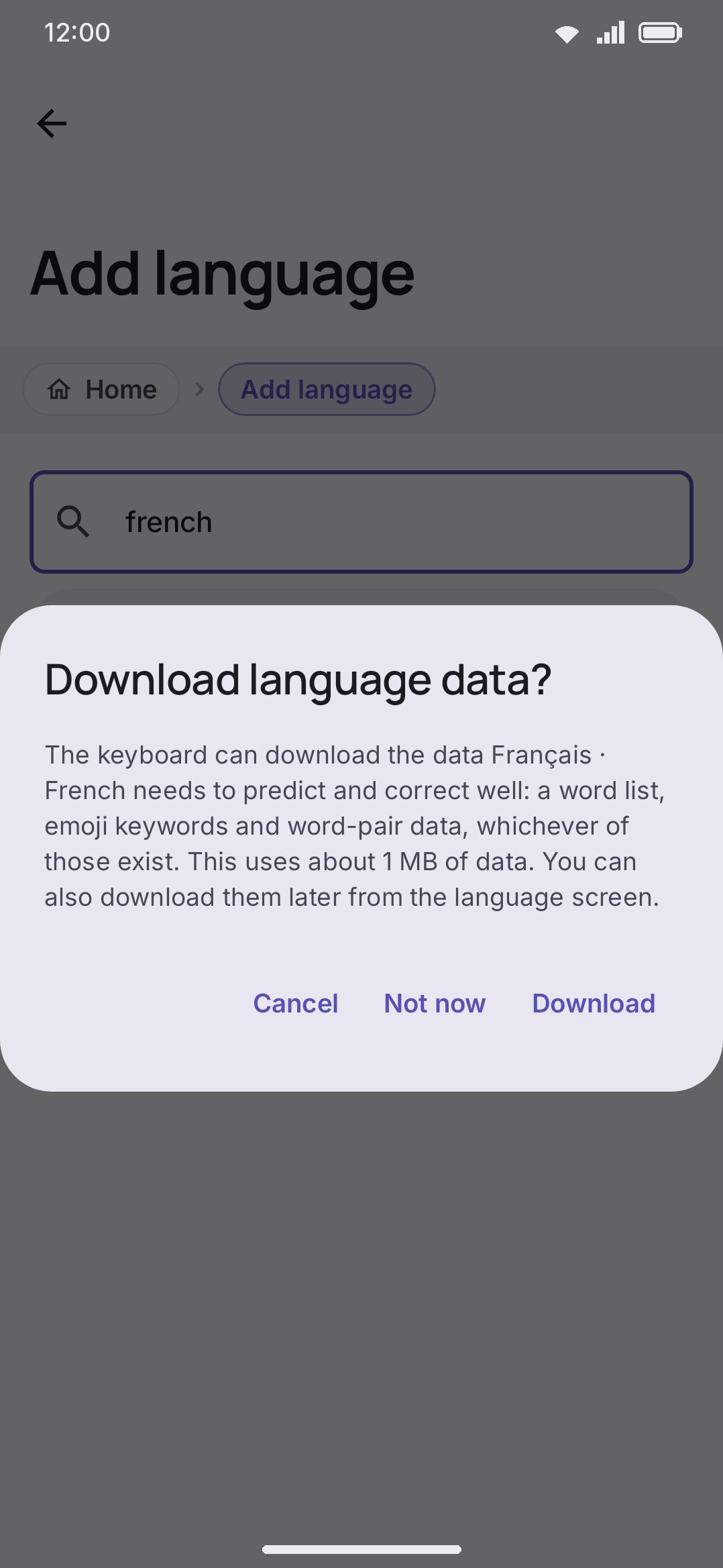
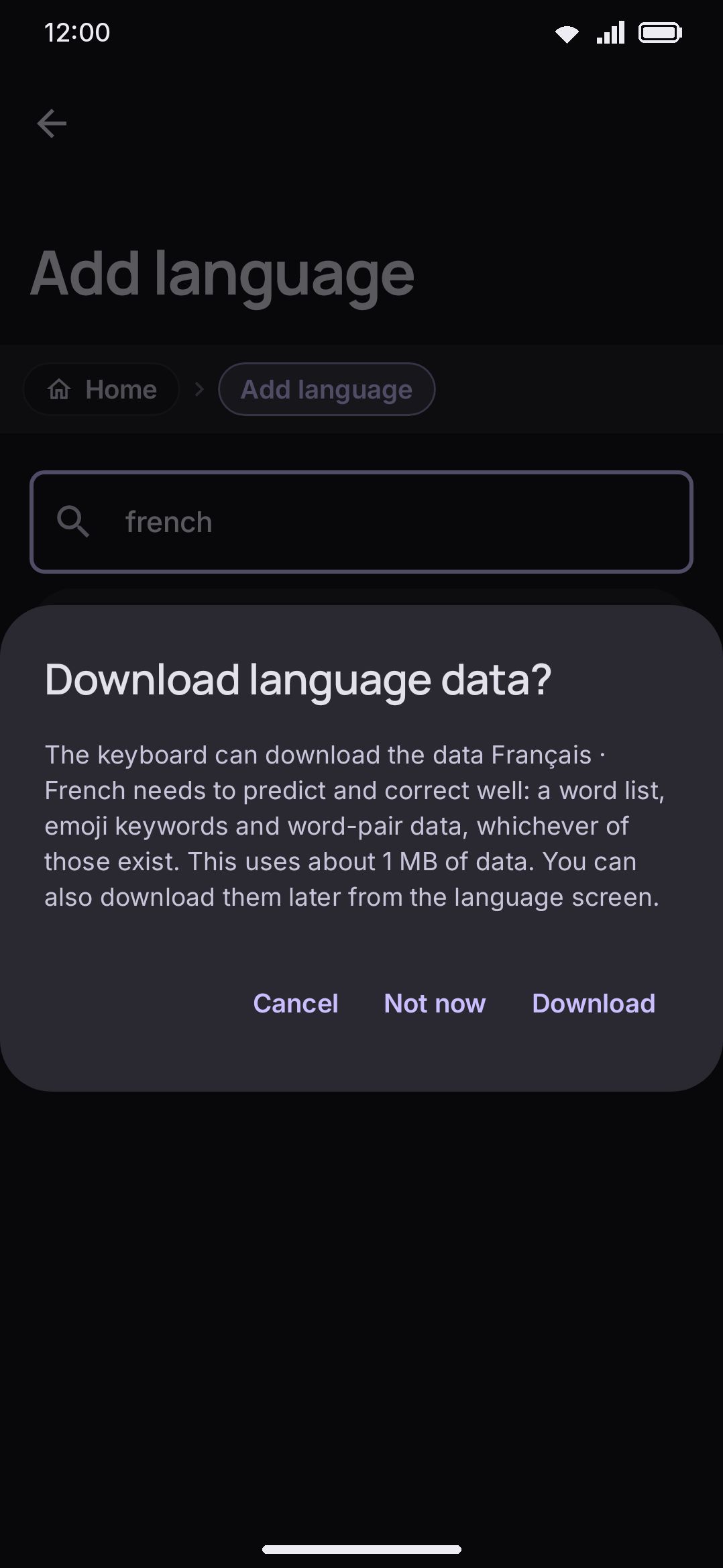
| Download language data? prompt (word list, emoji keywords and word-pair data in one go) | Shown as you add a language | Named on the dialog |
| Download all | Languages → (a language) → Dictionaries heading, while anything is missing | Named on the button |
| Word list at another size | Languages → (a language) → Dictionaries → Word list → the arrow button on a downloaded list | Named per size in the same dialog Download opens |
| Pinyin table | Languages → Chinese → Chinese options | About 2.5 MB |
| Stroke table | Languages → Chinese → Chinese options | About 450 KB |
| Cangjie table | Languages → Chinese → Chinese options | About 350 KB |
| Jyutping table | Languages → Cantonese → Cantonese options | About 3.4 MB |
| Kana to kanji table | Languages → Japanese → Japanese options | About 42 MB |
Pressing the button is the consent, and nothing here starts on its own. That includes changing a downloaded list’s size: the arrow button on the Word list row opens the same dialog, names the same per-size transfer, and downloads nothing until you pick one. Some of these name a size first and some don’t. The add-language dialog and the Download all button each name the whole set they’re about to fetch, the word-list dialog names each size, and the Japanese pack’s row says “about 42 MB” because it’s the one worth warning about. The Pinyin, Stroke, Cangjie and Jyutping rows describe what the table holds rather than what it weighs, so the column above is the place to check those. The only thing that can come between is the mobile-data question below. The add-language prompt is the one with a way out: Download fetches the set, Not now adds the language with nothing, and Cancel backs out of the language too. Word-list tiers and how downloaded and imported lists combine are covered on Downloadable dictionaries. The CJK tables and what each one is for are on Chinese, Japanese & Korean. Those five are the only ones the keyboard will point you at unprompted: type a reading on a Chinese, Cantonese or Japanese layout whose table isn’t on the device and a chip on the strip names the pack and opens that row, because without it the layout converts nothing and nothing else on screen would say so. It still downloads only when you press the button.
The one that checks your connection
Section titled “The one that checks your connection”The Downloads row in Data saver (WM KeyboardAdvancedData saverDownloads, default Ask each time) puts a size-naming confirmation in front of Download all while data saver is on. Data saver never turns on by itself unless you pick a trigger for it, such as On mobile data or a metered network. That’s the one tap that fetches a word list, emoji keywords and word-pair data together, so it’s the one most likely to surprise you. Set the row to Allow and the button goes straight out on whatever connection is up; set it to Turn off and it says so instead of downloading. The same row covers the Whisper and on-device AI model downloads, which used to have a switch of their own.
Nothing else on this page consults it. The automatic emoji and word-pair packs start on whatever is up, and so does every individual Download button: a word list, an emoji pack, and the CJK tables, including the 42 MB Japanese one. For the automatic pair that’s a few hundred kilobytes a language, which is why it’s allowed to be quiet. For the manual ones the size is printed before you press.
If your plan is tight, three habits keep it that way:
- Turn Download data automatically off. Nothing is fetched until you ask for it on a language’s own screen.
- Answer Not now to the add-language prompt. Come back to Download all on the language’s screen when you’re on Wi-Fi.
- Leave the CJK tables, the Japanese one above all, for a Wi-Fi moment. Nothing else about a language comes close to it except a word list taken at the Everything tier.
Nothing here downloads in the background when the keyboard isn’t running, and nothing resumes on a schedule. No job queue sits waiting for a better connection. See Network policy for the full accounting of what this keyboard contacts and when.
What asks elsewhere in the app
Section titled “What asks elsewhere in the app”Three downloads outside the language screens treat a metered connection differently, and the line is drawn at size rather than by oversight:
| Download | When it asks | What you get |
|---|---|---|
| Whisper voice models Full edition only | Metered connection and the model is 150 MB or larger | A dialog naming the model, its size, and the connection, such as Download on mobile data?, with a confirm button worded for that connection and a plain Cancel |
| On-device AI models Full edition only | Metered connection and the model is 500 MB or larger | The same dialog |
| Rotating photo backgrounds | Never asks. It’s a setting instead: Use mobile data, off by default, in a theme’s Online photos group | A rotation waits for Wi-Fi rather than prompting |
Models under those thresholds go through without a word, as long as Data saver is set to allow downloads. The smallest Whisper model is about 42 MB and the smallest on-device AI model about 143 MB. One setting overrides the size line for both: the Downloads row in Data saver, which is Ask each time by default, so while data saver is on every model raises the same dialog whatever its size. Set it to Turn off and no model downloads while data saver is on. Full detail on those two is on Offline voice (Whisper) and AI writing tools.
Options
Section titled “Options”| Setting | Where | Default |
|---|---|---|
| Download data automatically | Languages → Language data | On (off on F-Droid builds) |
| Downloads (on a metered connection) | Data saver | Ask each time |
| Download automatically (emoji keywords) | Emoji → Emoji keywords | On |
| Download all | Languages → (a language) → Dictionaries | A button (no stored value), shown while anything is missing |
| Dictionary size tier | Languages → (a language) → Dictionaries → Word list → Download, or the arrow button on a downloaded list | Large (up to 300,000 words), remembered once you change it |
| Use mobile data (photo backgrounds) | Appearance → Keyboard themes → (edit a theme) → Board → Rotating background → Online photos | Off |
Details & edge cases
Section titled “Details & edge cases”- “Automatically” means the keyboard, not the app. The automatic pass lives in the keyboard service and runs when your settings change while it’s up. Sitting in the settings app after adding a language doesn’t fetch anything. Opening a text field does.
- Nothing downloads before the first unlock. The automatic pass is skipped entirely until the phone has been unlocked once after a restart, because the files it writes live in storage that isn’t readable before then. Type on a still-locked device and the packs arrive later.
- A failed automatic download is not retried in that session. The language is remembered as given up on for the life of the keyboard’s process, so a bad connection costs one attempt rather than a stream of them. Restarting the keyboard (or the phone) clears the mark.
- Deleting a language’s emoji keywords tells the automatic pass to leave it alone. That’s how deleting the pack sticks instead of it quietly reappearing on your next connection.
- Everything comes from one place. Word lists, emoji keywords, word-pair data and the CJK tables all download from the same public data repository over plain HTTPS. No analytics, no per-download reporting, nothing else contacted.
- Sizes shown are the compressed transfer, not what lands on disk. For word lists they’re also an upper bound. The transfer stops early at words that occur only once in the source, so a finished download is often smaller than the number promised.