
Grammar check
Offline grammar checking powered by Harper: squiggles without a server.
Grammar check runs your writing past Harper, the same open-source engine behind harper-ls, and surfaces fixable issues right above the keys as you type. Full edition only Everything happens on-device. Nothing you type leaves the phone to get checked.
What it catches
Section titled “What it catches”Harper checks English spelling, grammar, and style: agreement errors, punctuation and capitalization slips, redundant or repeated words, malapropisms, and a long tail of style nits. It reports twenty fine-grained kinds of issue, which the panel groups into four color-coded categories so an issue reads at a glance:
- Correctness: spelling, typo, grammar, agreement, capitalization, punctuation, word boundaries, confused words, misheard phrases, usage
- Clarity: readability, redundancy, repetition, word choice
- Engagement: enhancement, style, miscellaneous
- Delivery: formatting, regionalism, nonstandard
Any of those twenty can be switched off, either one at a time or a whole category at once. See Filtering what you see.
Each issue also lints against a specific English dialect: American (the default), British, Canadian, or Australian. You pick that independently of whatever language or layout you’re actually typing with, since Harper only understands English. See Options below for where to change it.
Using the panel
Section titled “Using the panel”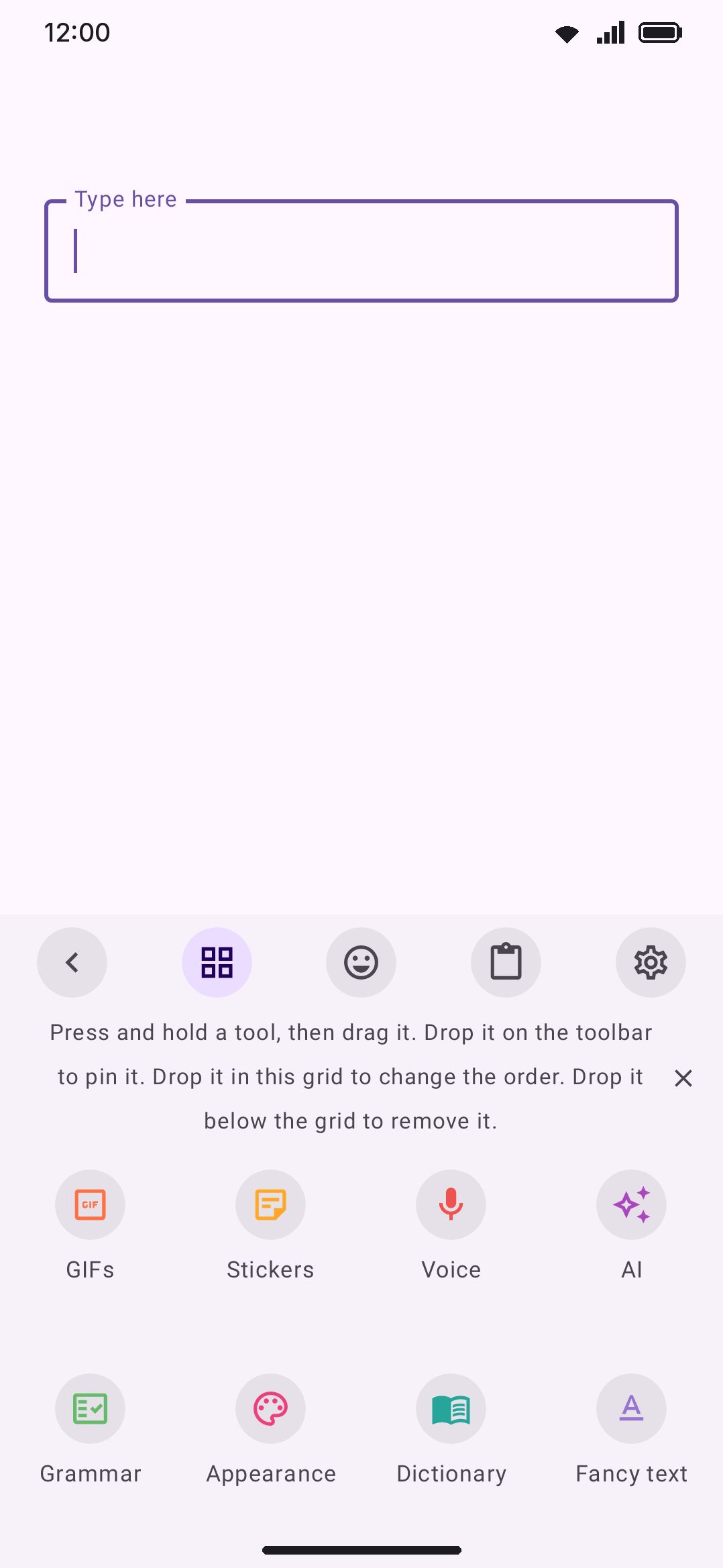
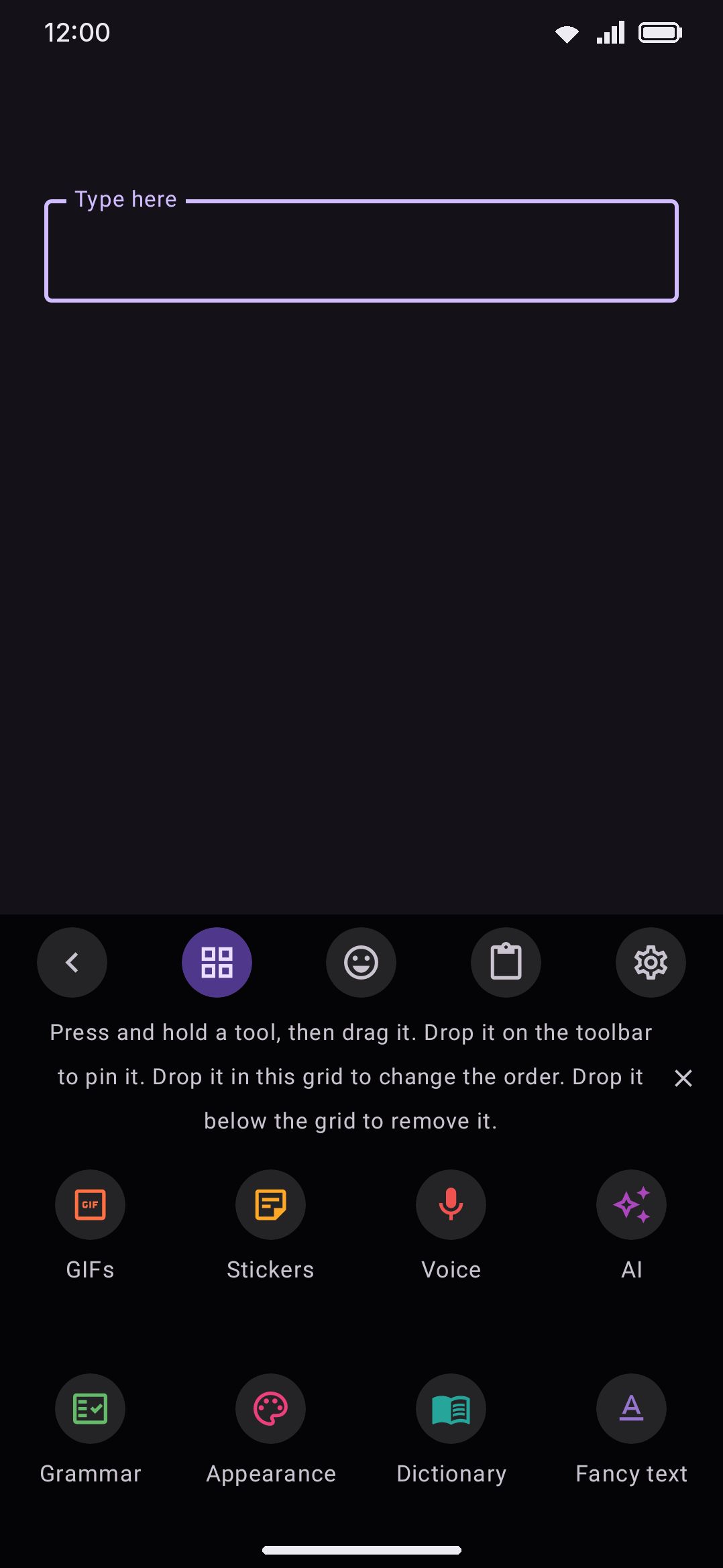
Open Grammar check from the toolbox to check whatever’s in the field you’re writing in. It isn’t pinned to the toolbar by default, but two built-in keyboard modes (Chat and Writing) promote it to the front of the toolbox, since it’s one of the first things worth reaching for in either.
The panel sits in a fixed strip above the key rows rather than covering them, so you can fix an issue by editing the text directly just as easily as by tapping a fix chip. Open the panel and it checks the field’s current text immediately, with no wait. After that, edits re-check after a short pause (see Fully offline below).
Each issue is a card: a colored dot and category label, the flagged text struck through, an arrow to up to five suggested fixes, and Harper’s explanation underneath. An issue Harper has no fix for shows the explanation in the chips’ place instead. From there:
- Tap a fix chip to apply that one fix. The field re-checks straight after.
- Tap the card itself, meaning neither a chip nor the dismiss icon, to jump the field’s cursor to the issue. A multi-word span parks the cursor at its start. A single word with a real replacement gets selected, so you can type over it. Anything else parks the cursor right after the issue.
- Tap the copy icon to copy Harper’s explanation.
- Tap the sparkle beside the dismiss icon, shown while the AI tool is on, to ask the AI about the issue. The AI panel opens a chat with the issue, Harper’s explanation, its fixes and the sentence around it attached, so you can ask why, or whether the fix is right.
- Tap the dismiss icon (×) to hide a card. It stays hidden only until the text changes and re-lints. Dismissing isn’t remembered past that.
- Tap “Fix all”, shown whenever at least one issue has a suggestion, to apply every issue’s top fix in one go. Fixes go in back to front, so earlier issues don’t shift the ones after them. An issue whose span overlaps one already fixed is skipped rather than risk mangling the text.
- Tap the dialect chip in the header to switch American/British/Canadian/Australian on the fly. The same text re-checks immediately under the new dialect.
- Tap the funnel beside the dialect chip to choose which kinds of issue are worth showing at all. See below.
If nothing’s flagged, the panel says so. If the field is empty, it invites you to type or to open a field with text in it. If issues were found but your filter hides every one of them, the panel says that instead, so a quiet panel is never ambiguous.
Filtering what you see
Section titled “Filtering what you see”Harper is thorough, and thoroughness is not always what you want. If you don’t care to be told about regionalisms, or you want spelling but not style suggestions, the funnel in the panel header turns individual kinds off.
The filter is two levels deep:
- Tap a category row (Correctness, Clarity, Engagement, Delivery) to switch every kind inside it at once.
- Tap the chevron on a category to expand it onto its own kinds, then tap one to switch just that kind.
- A category shows a tick when all of its kinds are on, a dash when only some are, and nothing when they’re all off. Turning one kind of an off category back on leaves the category dashed rather than quietly re-enabling the rest.
- Every row carries the number of issues of that kind in the current text, filter or no filter, so you can see what you’re hiding before you hide it.
- Show every kind at the bottom clears the filter in one tap. It only appears while something is hidden.
The funnel turns accent-colored while any filter is active, so a panel that’s hiding things says so from the header.
Filtering is not the same as dismissing. A dismissed card comes back on the next re-check; a filtered kind stays gone until you turn it back on, and the choice is remembered across sessions and carried in your backup.
A hidden kind is hidden from everything the panel does, not just the cards: it’s left out of the issue count in the header, and “Fix all” will not touch it. Turning off a kind of suggestion you disagree with means “Fix all” stops applying it, which is usually the whole point.
The same filter lives in settings, where the four categories are folds you can open onto their kinds. Changing it in either place changes it in both.
Fully offline (in-process)
Section titled “Fully offline (in-process)”Harper is a Rust engine compiled into libharper_jni.so and loaded directly into the keyboard’s process. There’s no server call anywhere in this path, checked or unchecked. All linting runs on one dedicated background thread, since Harper’s internal linter state isn’t safe to share across threads.
Re-checks are debounced. After you stop typing, the panel waits before re-linting rather than running on every keystroke (see the Re-check delay setting below). Opening the panel or switching dialects skips the wait and checks right away.
DeepL Write
Section titled “DeepL Write”With a DeepL API Pro key set up under Tools / Translate and DeepL Write turned on there, the panel gets one more button beside the filter. Tap it and DeepL rewrites the text in the field: grammar, wording, and the style you picked. Unlike Harper, DeepL Write reads German, French, Spanish, Italian, Portuguese, Japanese, Korean and Chinese as well as English.
The answer takes the place of the issue list until you tap Replace or close it with its X. Replace swaps the text for DeepL’s version. On a field longer than 2,500 characters, only the first 2,500 go to DeepL and only those are replaced. If you edit the text before the answer arrives, the answer is dropped, because it no longer matches what is in the field.
This is the one part of Grammar check that goes online. The text in the field and your DeepL key go to DeepL, and only when you tap the button. Without a DeepL key, or with DeepL Write off, the button is not there and the panel works as described above. The same rewrite is available on selected text as the DeepL Write selection action.
Options
Section titled “Options”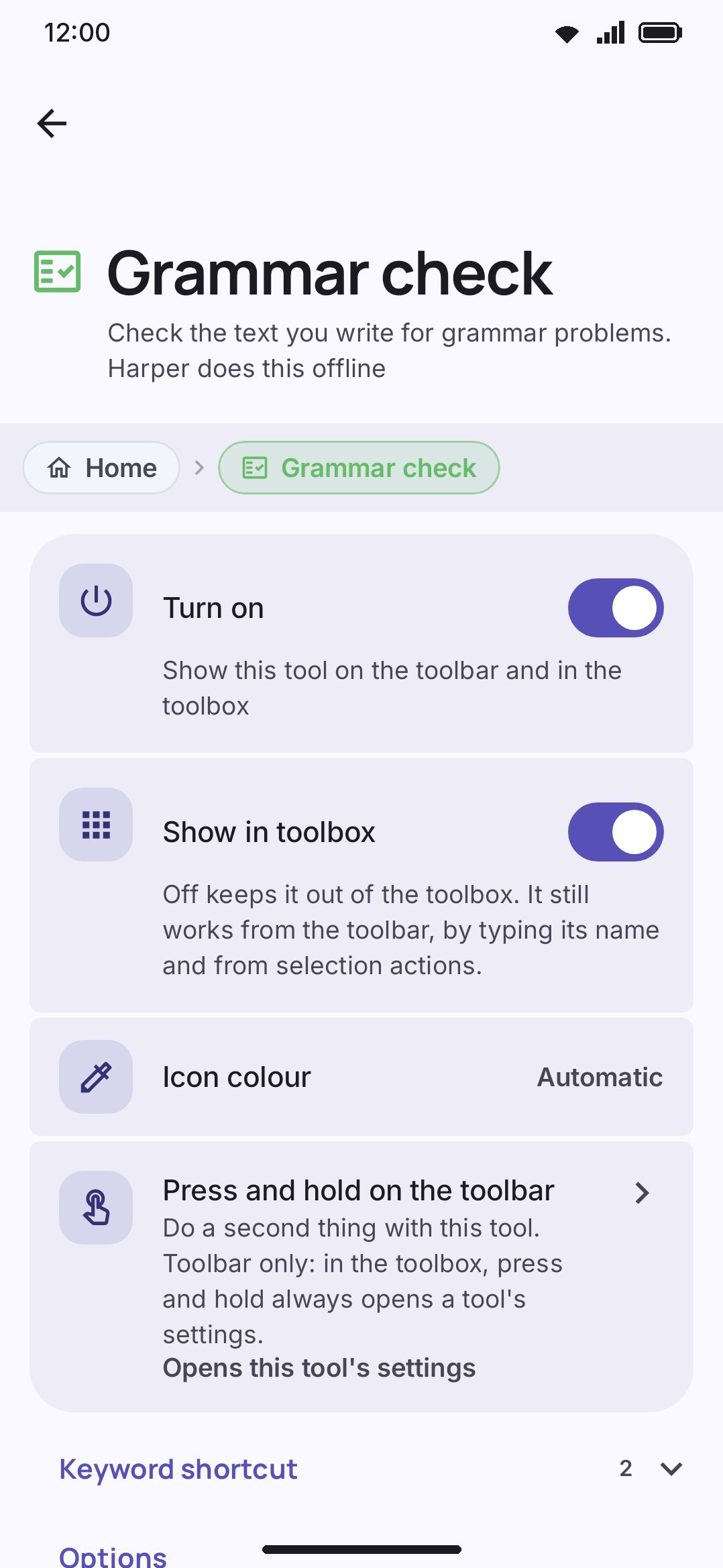
| Setting | Default | Range/options |
|---|---|---|
| English dialect | American | American, British, Canadian, Australian |
| Re-check delay | 350 ms | 100–1500 ms |
| Show Correctness issues | On | Per kind: spelling, typo, grammar, agreement, capitalization, punctuation, word boundaries, confused words, misheard phrases, usage |
| Show Clarity issues | On | Per kind: readability, redundancy, repetition, word choice |
| Show Engagement issues | On | Per kind: enhancement, style, miscellaneous |
| Show Delivery issues | On | Per kind: formatting, regionalism, nonstandard |
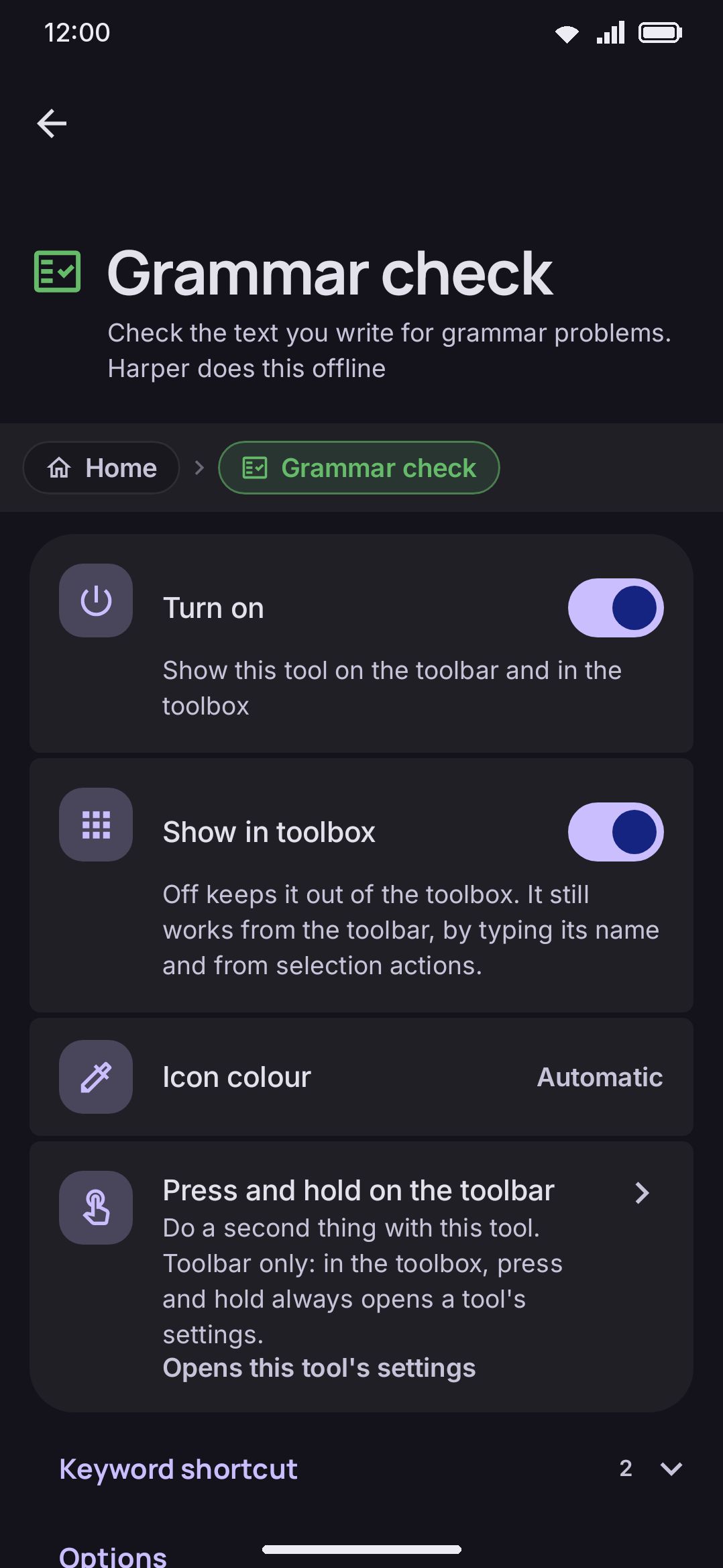
Each category is a fold. The heading’s switch turns the whole category on or off; open it to reach the individual kinds, and the closed fold names the kinds still showing. These are the same switches as the panel’s funnel.
A System-wide group sits below these two, with a Use Harper everywhere button and (on Android 12 and up) an Underline only, no fix popup toggle. Those set up Harper as Android’s system spell checker, so the same engine underlines typos in other apps too. See System spell checker for what that covers and how it differs from this in-keyboard tool.
Details & edge cases
Section titled “Details & edge cases”- English only. Apart from the optional DeepL Write button, Harper doesn’t check any other language, and the dialect setting is global. It applies no matter which typing language or layout is currently active. Grammar check has nothing to do while you’re typing in a non-English language.
- Full edition only. Grammar check doesn’t exist at all in the lite build. It’s absent from both the toolbar customization list and the toolbox, rather than sitting there disabled or grayed out, because lite ships without Harper’s native library. If you’re on lite and don’t see it, that’s expected.
- A missing engine fails safely. If
libharper_jni.sosomehow didn’t load, the panel opens normally and says the grammar engine isn’t in this build, rather than crashing or hanging on “checking.” - A fix only touches the words it flagged. Applying a chip (or “Fix all”) replaces the flagged spans and nothing else, so the rest of what you wrote isn’t re-typed into the field. That’s what keeps formatting alive in apps that have any: bold, colour, a checklist item in Google Keep. The one exception is an editor that won’t tell the keyboard where its text starts. There’s no way to address a span in one of those, so the fix falls back to rewriting the whole field, which flattens any styling it was carrying.
- Dismissing an issue is temporary. A dismissed card comes back if you edit the text again and it re-lints to the same issue. There’s no permanent “ignore this” list.
- “Fix all” only uses each issue’s first suggestion. For an issue with several possible fixes, use its individual fix chips instead if you want a different one applied.
- A filter hides issues, it doesn’t stop the checking. Harper still lints the whole text; the filter decides what’s worth showing you. Turning kinds off doesn’t make checking faster.
- An unfamiliar kind is always shown. If a future Harper adds a kind of issue this version of the app doesn’t know, it appears in the panel (under Engagement’s color) rather than being silently swallowed by a filter that can’t name it.
- Re-check delay only paces this panel. It has no effect on the system spell checker, which always answers synchronously when another app’s text field asks it to.
For contact-aware, dictionary-based red squiggles in every other app on your phone, not only WM Keyboard’s own writing surface, see System spell checker. For the everyday typo-fixing that runs on every language and every edition, see Autocorrect.