
Bangla
First-class Bangla: Avro-style phonetic typing, five fixed layouts, and the spellings phonetic rules can't reach.
Bangla is one of only two languages that ship a dictionary and emoji keywords inside the app itself. English is the other, and Bangla is the only one of the two with a purpose-built phonetic engine on top. It ships six layouts: the phonetic Avro, and five fixed ones, Probhat, Jatiya, Baishakhi, Bornona, and InScript. Adding Bangla turns on Avro, and the rest are a tap away on its own screen. A phone whose Android language list already includes Bangla gets it enabled from the first run. Type romanized Bangla and the keyboard converts it to script as you go, or pick one of the fixed keyboards if you’d rather type the script directly.
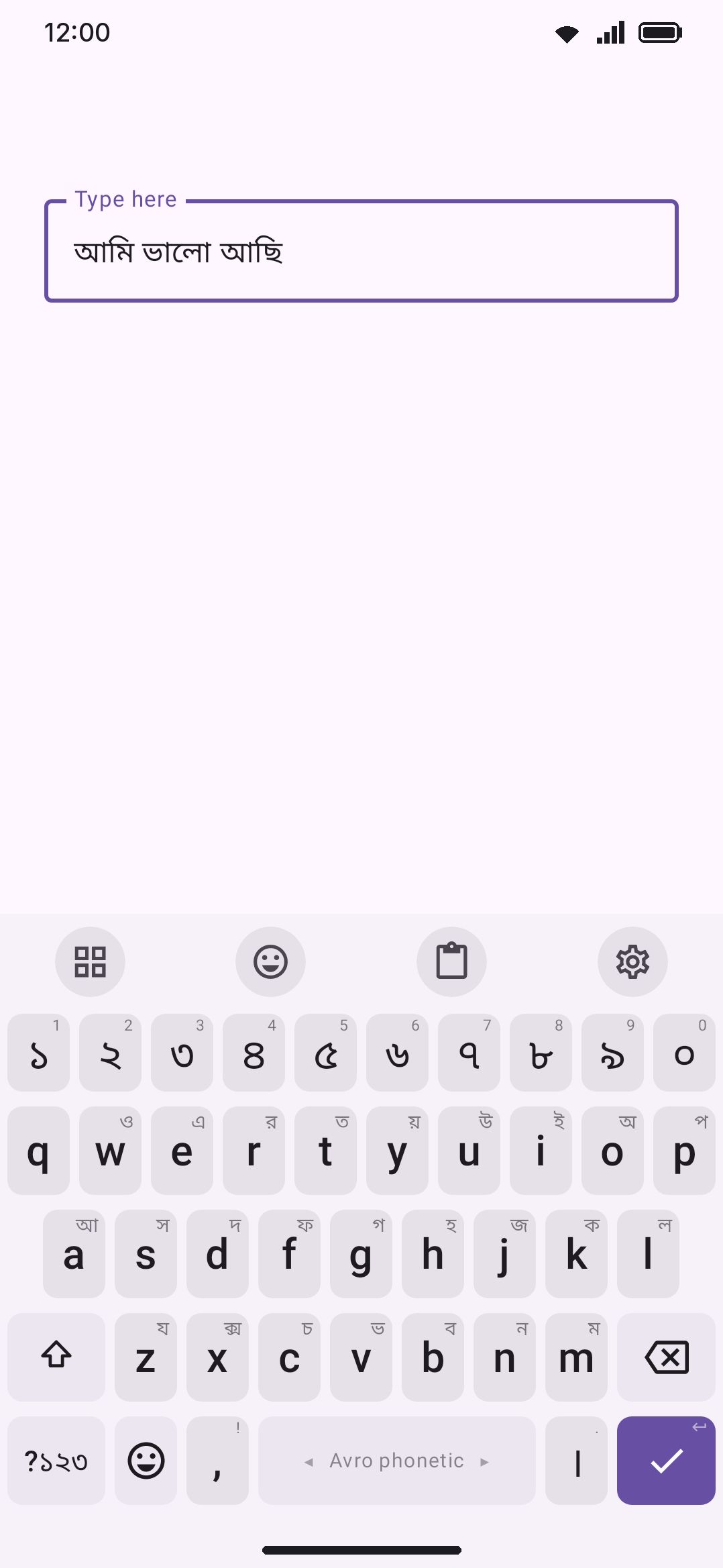
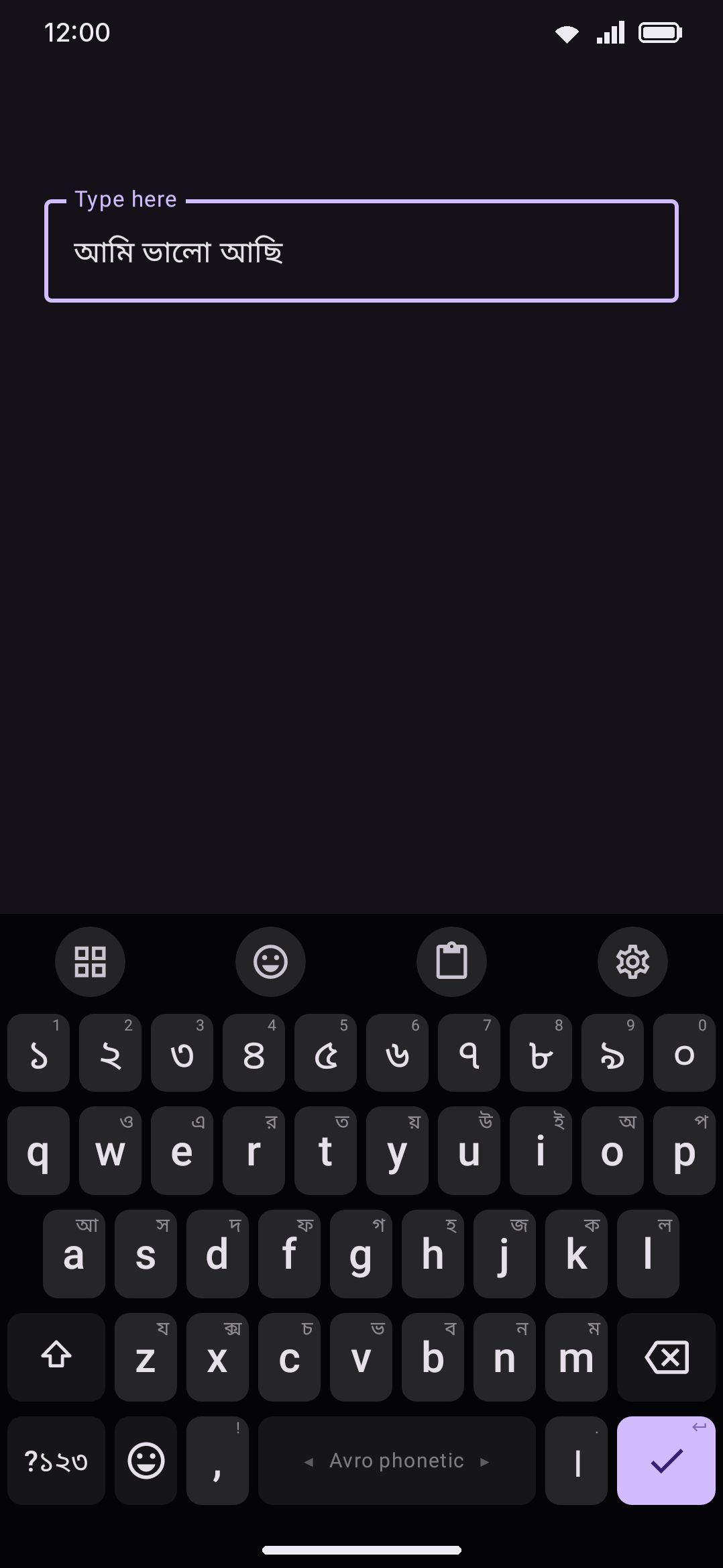
Typing phonetically with Avro
Section titled “Typing phonetically with Avro”Avro phonetic is a fixed QWERTY grid underneath (every key is exactly where it is on the English layout) with a rule-based transliteration engine layered on top. Type a romanized syllable and it renders in Bengali script directly in the composing text, no separate conversion step: “ami” becomes আমি, “kolokata” becomes কলকাতা, “dhorrmo” becomes ধর্ম. The engine handles conjuncts, reph, khanda-ta, and the vowel/consonant context that decides whether a vowel is a standalone letter or a kar sign. All of that is automatic, so you type the sounds and leave the script mechanics alone.
Where it goes further than a plain transliterator is lenient spelling. Bangla speakers write the same word several different ways in Latin letters (আছি gets typed “achi”, “achhi” or “asi” depending on the person), and Avro takes them all. Two layers do that, in this order.
First a hand-built list of about 12,000 romanized spellings, described under Spellings the rules can’t reach below. It covers most of the everyday vocabulary, and a spelling it names is settled there and nowhere else, because the list outranks both the dictionary and the literal transliteration. Both achi and asi are on it, and they’re listed separately: achi commits আছি, asi commits আসি.
Anything the list has never heard of falls to a phonetic fold. Both your romanized input and every word in the Bangla dictionary are reduced to a lenient key where confusable sounds collapse (স/শ/ষ/ছ/চ all fold to the same sound, aspiration like “kh” or “bh” drops to “k”/“b”, and so on), so an unlisted spelling still finds the dictionary word it sounds like. Words sharing a key are phonetic siblings, and the most frequent sibling leads. Two things you wrote down are weighed before frequency, because the fold throws them away: a sibling that contradicts an “h” you actually typed is pushed down, and so is one that ends in ও when you typed no final o. The “ch” of চ and the “ph” of ফ are exempt, since those are ordinary English-influenced spellings rather than claims about aspiration.
A sibling only takes the commit from the literal transliteration when it is at least twice as frequent. A near-tie leaves what the composing text already showed you, because a silent swap between two words of roughly equal currency reads as a bug rather than a correction. The exception is a literal that isn’t a dictionary word at all: with nothing to protect, the siblings lead. The literal transliteration is always in the suggestion strip as a fallback either way, so you can pick it if the substitution guesses wrong. To stop the substitution altogether, turn off Correct to dictionary words (see Options).
A few more of the rules worth knowing:
| You type | You get | Why |
|---|---|---|
valo or bhalo | ভাল | “bh” and “v” both fold to the “b” sound |
valO | ভালো | lowercase “o” is the inherent vowel and writes nothing; only capital “O” is ও/ো |
kolokata | কলকাতা | the explicit “o” between l and k breaks the conjunct that kolkata (no vowel between them) would form |
bangla / bangali | বাংলা / বাঙালি | ং joins nothing; before a vowel it is ঙ, which can carry the syllable |
swasthyo | স্বাস্থ্য | “w” after a consonant is a ব-ফলা join |
wasi | ওয়াসি | “w” anywhere else is ও |
panjabi | পাঞ্জাবি | “n” before “j” is ঞ |
hoThaTH, hoThat + a trailing backquote, or hoThat,, | হঠাৎ | TH, a backquote or a trailing hasant all spell khanda-ta (ৎ) |
shyam | শ্যাম | “y” after a consonant is a য-ফলা join |
meye | মেয়ে | “y” elsewhere is য়, not a join |
ggan | জ্ঞান | gg is the জ্ঞ conjunct |
Bangla | বাংলা | a capital that spells nothing of its own reads as its lowercase self |
$ / 123 | ৳ / ১২৩ | currency and digits convert too |
. / .. | । / . | a single dot is দাঁড়ি; two dots is a literal period |
Both of Avro’s spellings for the marks work, and so do the ones Ridmik uses: ঁ is ^ or qq/cb, ঃ is : or HH, ৎ is t plus a backquote or TH, and the hasant is ,, or hs. The hs form only fires after a consonant, where a hasant can actually go, so it never eats the h and s of a name like ahsan.
Avro key map
Section titled “Avro key map”Every key the engine reads, in one place. The same tables are in the app, under Key map on Bangla’s own screen (see Options).
Vowels. The first form is the letter on its own (at the start of a word, or after another vowel). The second is the sign it becomes after a consonant.
| Key | Letter | After a consonant |
|---|---|---|
o | অ | nothing: the inherent vowel |
a, A | আ | া |
i | ই | ি |
I | ঈ | ী |
u, oo | উ | ু |
U | ঊ | ূ |
rri | ঋ | ৃ |
e, E | এ | ে |
OI | ঐ | ৈ |
O | ও | ো |
OU | ঔ | ৌ |
An a straight after another written vowel glides with য়, so kiamot is কিয়ামত. A capital A is always a plain আ.
Consonants. Two consonants in a row join into a conjunct with no extra key. Type o between them to keep them apart.
k, q ক | kh খ | g গ | gh ঘ | Ng ঙ |
c চ | ch ছ | j জ | jh ঝ | NG ঞ |
T ট | Th ঠ | D ড | Dh ঢ | N ণ |
t ত | th থ | d দ | dh ধ | n ন |
p প | ph, f ফ | b ব | bh, v ভ | m ম |
z য | r র | l ল | sh, S শ | Sh ষ |
s স | h হ | R ড় | Rh ঢ় | Y য় |
J জ় | x ক্স | kkh ক্ষ | gg জ্ঞ | nj ঞ্জ |
Joins and signs.
| Key | Gives | Example |
|---|---|---|
y after a consonant | ্য (য-ফলা) | shyam শ্যাম |
y anywhere else | য় | meye মেয়ে |
Z | ্য, wherever it is | |
w after a consonant | ্ব (ব-ফলা) | swasthyo স্বাস্থ্য |
w anywhere else | ও | wasi ওয়াসি |
rr before a consonant | র্ (reph) | dhorrmo ধর্ম |
ng | ং, or ঙ before a vowel | bangla বাংলা, bangali বাঙালি |
^, qq, cb | ঁ (চন্দ্রবিন্দু) | ca^d চাঁদ |
:, HH | ঃ (বিসর্গ) | du:kho দুঃখ |
,,, hs | ্ (hasant) | |
TH, or t then a backquote | ৎ | hoThaTH হঠাৎ |
| a backquote between consonants | keeps them apart | k`s কস, where ks is ক্স |
. / .. | । / . | |
$, 0 to 9 | ৳, ০ to ৯ |
A capital that isn’t in these tables reads as its lowercase letter, so B is ব. Bangla has no q, so q and Q both type ক, the same as on Ridmik.
Spellings the rules can’t reach
Section titled “Spellings the rules can’t reach”Some words just aren’t spelled the way they sound, so a list of them is checked before the phonetic engine runs. A match there always wins over whatever the transliterator would have produced. Two kinds of word need this:
- English loanwords. “Keyboard” is written কিবোর্ড and “chair” চেয়ার by convention, not by sound. Left to the rules, “table” would come out তাব্লে instead of টেবিল. About 2,400 of these are listed by hand.
- Banglish as people actually type it. Chat spelling drops vowels wholesale, and no phonetic rule can put back a vowel that was never typed.
tmris তোমার,amkis আমাকে,trpris তারপর. Colloquial and regional inflections likeboltiso(বলতিসো) are in the same list, which covers about 12,000 spellings drawn from a corpus of real Bangla chat.
| you type | you get | without the list |
|---|---|---|
tmr | তোমার | ত্ম্র |
amk | আমাকে | আম্ক |
tmi | তুমি | ত্মি |
table | টেবিল | তাব্লে |
A listed spelling shows up in the composing text as soon as you finish typing it, not when you hit space: tmr reads তোমার at the r. That’s the same answer the space would have committed, so nothing changes under you at the last moment.
You can switch this off per language if you’d rather have the letter-for-letter reading (see Spellings under Options below). See Downloadable dictionaries for how Bangla’s dictionary and these lists fit into suggestions generally.
Choosing a layout
Section titled “Choosing a layout”Bangla ships six layouts. A fresh install turns on one of them, Avro, and only if your phone’s own language list has Bangla in it. What starts enabled is read off the phone rather than fixed (see What ships). Turn the rest on whenever you want them, from Bangla’s own screen under Languages. There’s one exception: a keyboard you enabled from Android’s settings and then typed on without ever opening the app. The setup wizard never ran, so the built-in fallback stands, which is Avro alongside English QWERTY.
- Avro phonetic: the QWERTY grid described above, and the default layout when you add Bangla by searching for it.
- প্রভাত (Probhat): the fixed Bangla layout popular on Linux, following the standard desktop keymap as shipped by Avro Keyboard and OpenBangla. You type Bengali letters directly, with nothing transliterated.
- জাতীয় (National / Jatiya): the Bangladesh national standard fixed layout, also following its desktop keymap.
- বৈশাখী (Baishakhi): another fixed Bangla layout, typed directly with nothing transliterated.
- বর্ণনা (Bornona): another fixed Bangla layout, typed directly with nothing transliterated.
- ইনস্ক্রিপ্ট (InScript): the Bengali InScript layout, the same Indic-script keyboard standard the app ships for many other Indian languages.
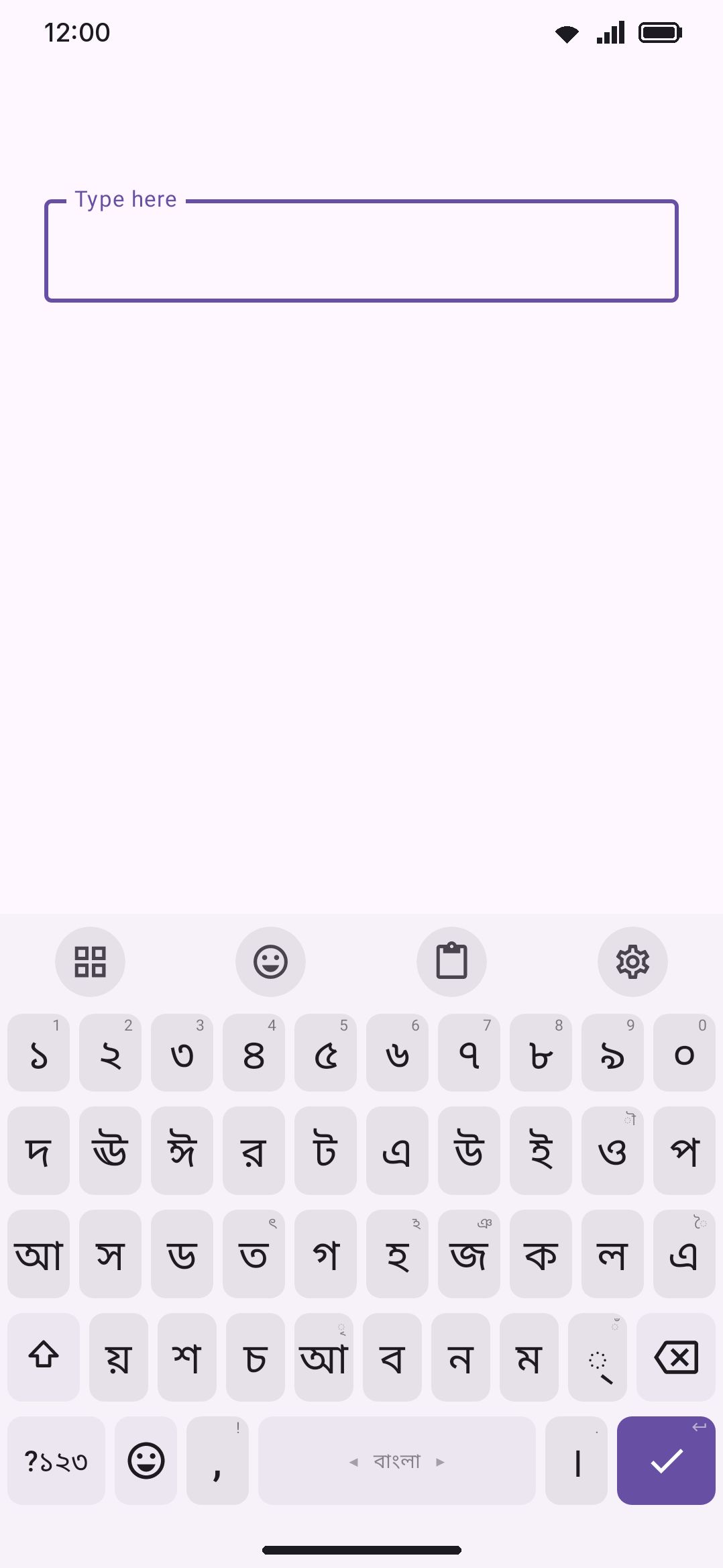
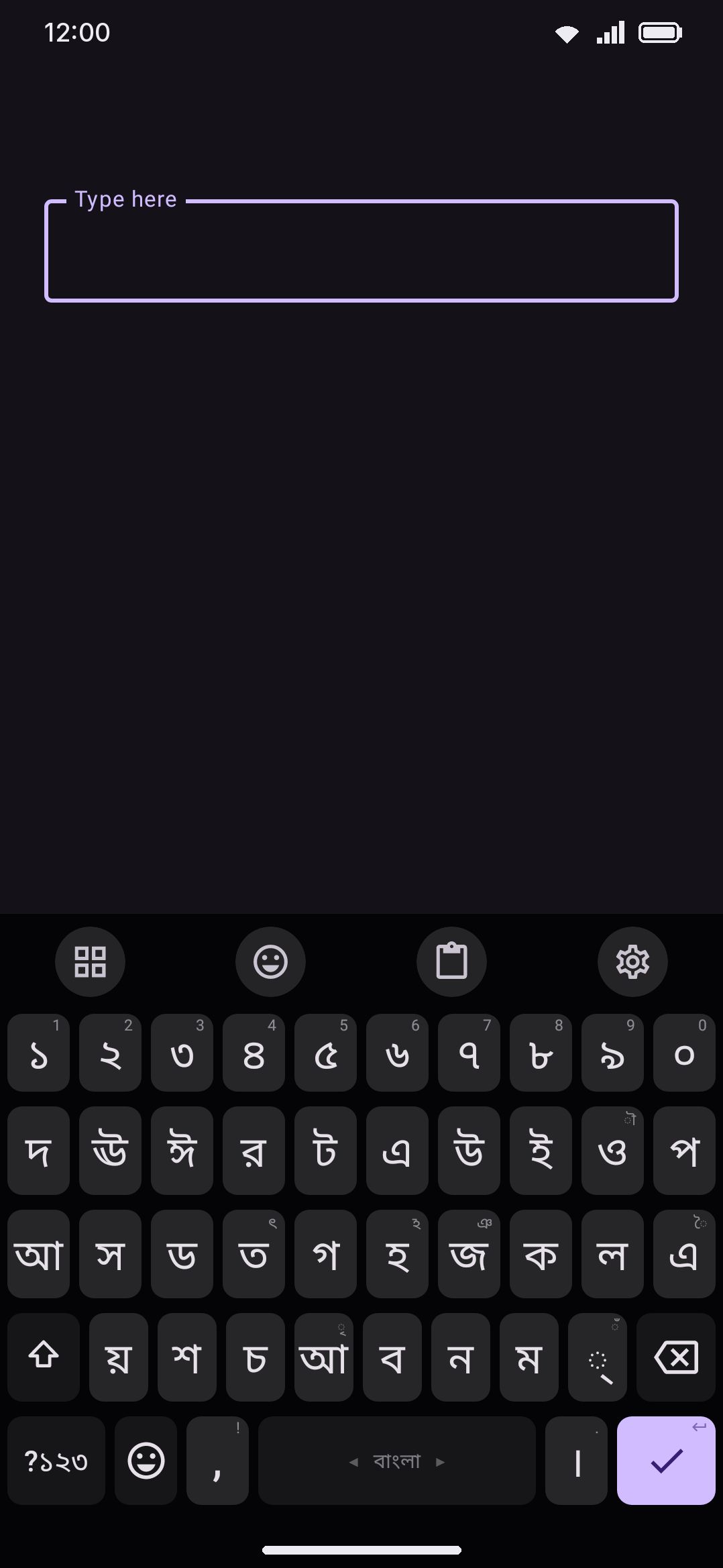
On Probhat, shift mostly gives you the aspirated partner of a consonant (দ→ধ, ট→ঠ, গ→ঘ, ক→খ) but not uniformly. Some shift pairs are vowel-length pairs (ি→ই, ু→উ, ী→ঈ) and a few are unrelated letters that just share a key for space reasons (র→ড়, ন→ণ, স→ষ). The 10th key on the home row carries ে with ো on shift and ৈ/ৌ on long-press. A handful of less common marks (ৎ, ঞ, ঁ, ৃ, ৗ, ঽ) live as long-press alternates on a phonetically related key rather than getting a dedicated slot.
Jatiya’s letter keys also match its desktop layout. Independent vowels that sit on a desktop AltGr key are reached here as a long-press on their matching kar sign: long-press ু for উ or ঊ, long-press ি for ই or ঈ, and so on.
All six layouts type দাঁড়ি (।) from the key next to the spacebar rather than a full stop, with the ASCII . moved to that key’s long-press for numbers, file names and web addresses.
বিসর্গ (ঃ) sits on the long-press of the colon key on the symbols layer, on all six. It’s drawn as a colon and does a different job, and the symbol layers are one grid shared by every language, so the colon’s popup is where it goes.
All five fixed layouts share the same cluster-editing behavior as Avro (see Editing conjuncts and clusters below), and the same font choice applies across all six (see Options). Switching between them works exactly like switching between any other enabled layouts: spacebar swipe, hold-drag picker, or the 🌐 key. See Switching languages for the full mechanics.
Editing conjuncts and clusters
Section titled “Editing conjuncts and clusters”Bengali script builds conjuncts (যুক্তবর্ণ) by joining consonants with a hasant (্): ক্ষ, স্ত্রী, জ্ঞ. By default, backspace over already-typed Bengali text removes one character at a time, which can leave a half-formed cluster on screen: জ্ঞ with one backspace becomes জ্, not জ.
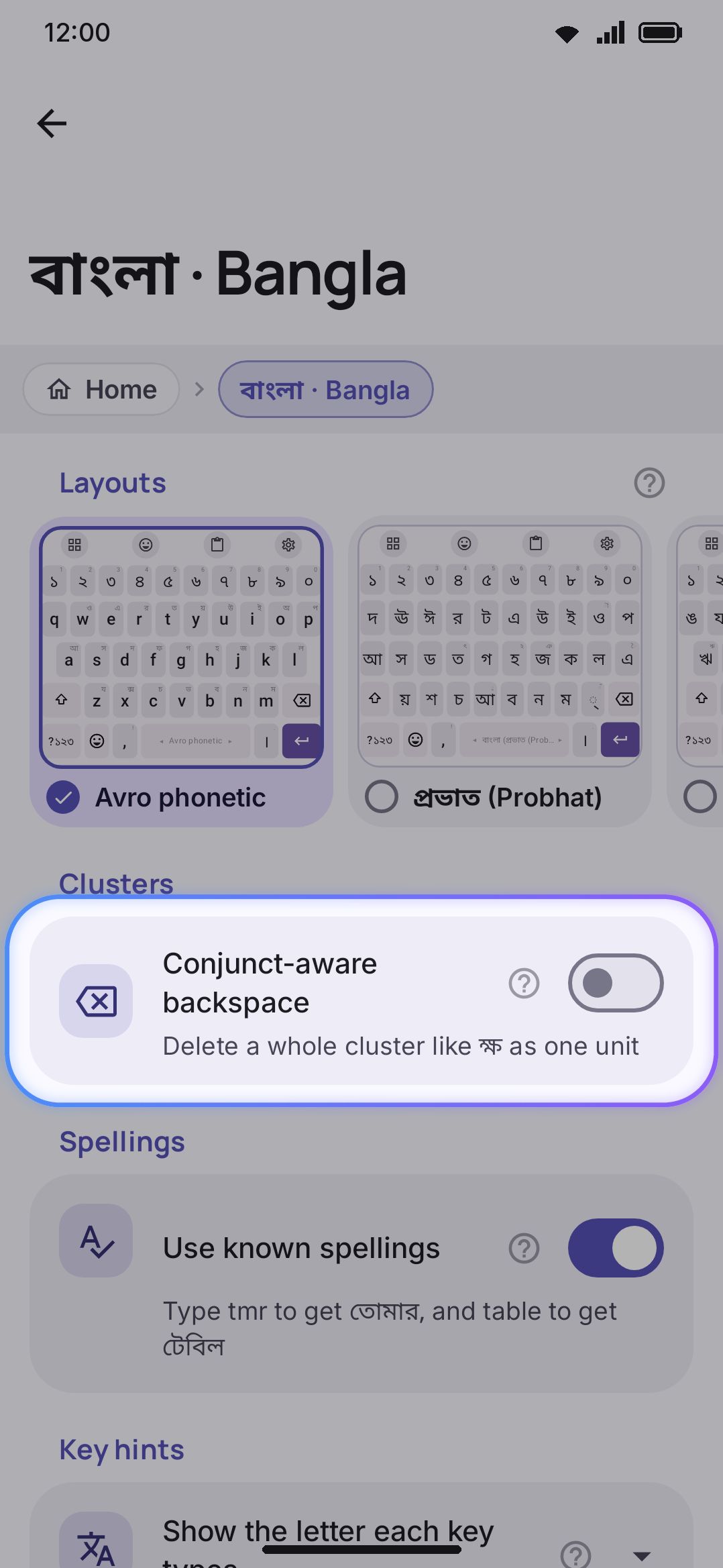
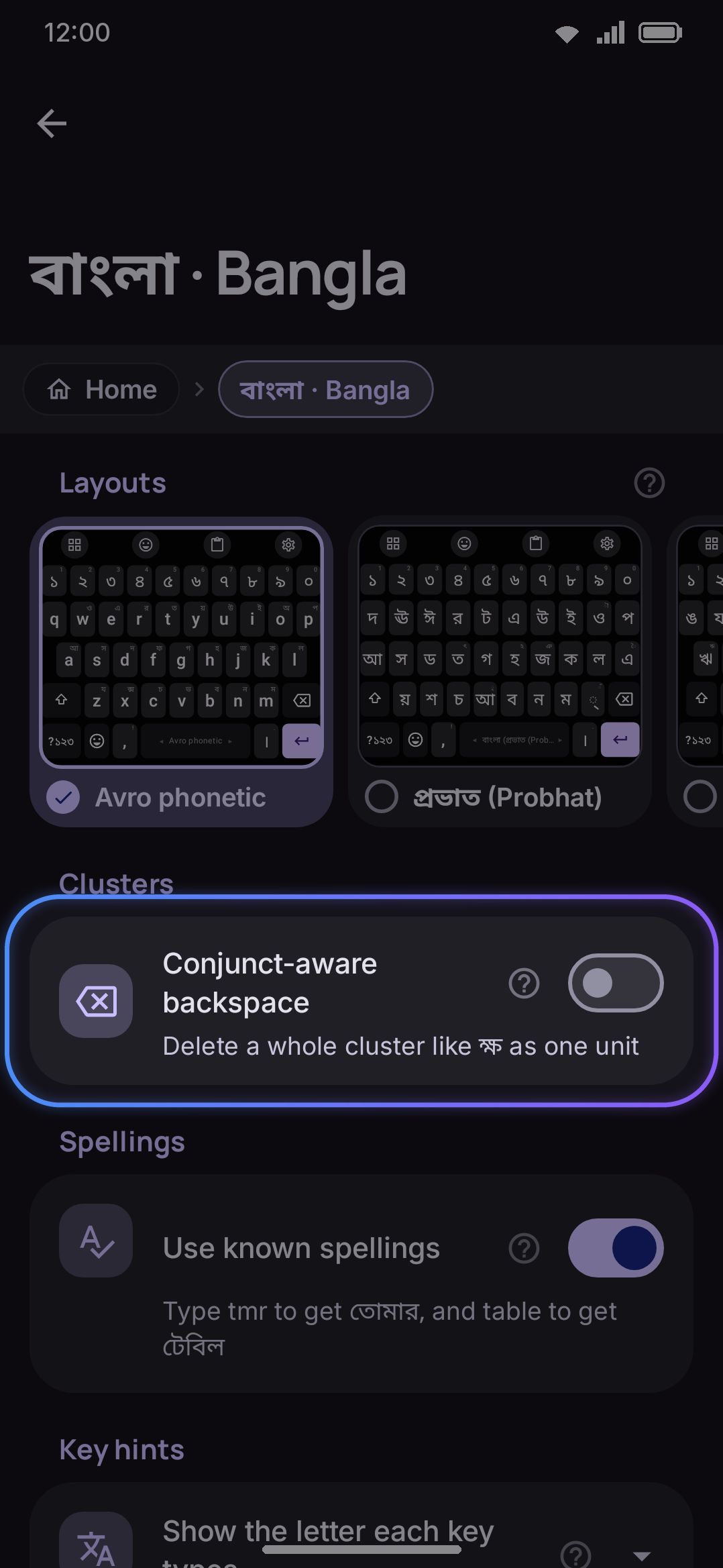
WM KeyboardLanguages & layoutsBanglaClustersConjunct-aware backspaceTurning on Conjunct-aware backspace changes this: a whole conjunct cluster is deleted in a single press instead. স্ত্রী (a triple conjunct) disappears as one unit, ক্ষ as one unit, and a bare trailing hasant with nothing joined to it yet still deletes alone. The setting is off by default, and it applies to committed Bengali-script text across all six Bangla layouts alike, which share the same cluster logic. It only affects text already committed to the field. Deleting through your still-composing Avro romanization always removes one Latin character per press.
This toggle isn’t unique to Bangla. Every language on a cluster-forming script gets its own copy of it, and Devanagari, Tamil, Khmer and others work the same way. It’s set per language, so Bangla deleting whole conjuncts doesn’t commit you to Hindi doing the same.
Emoji search in Bangla
Section titled “Emoji search in Bangla”Bangla is one of the two languages (with English) whose search keywords are baked directly into the bundled emoji catalog, so searching emoji by their Bangla name works with nothing to download. A larger keyword pack for Bangla is downloadable too, and it stacks on top of the bundled set rather than replacing it. See Emoji search in your language and Emoji picker for how the ranking and language-merging work.
Options
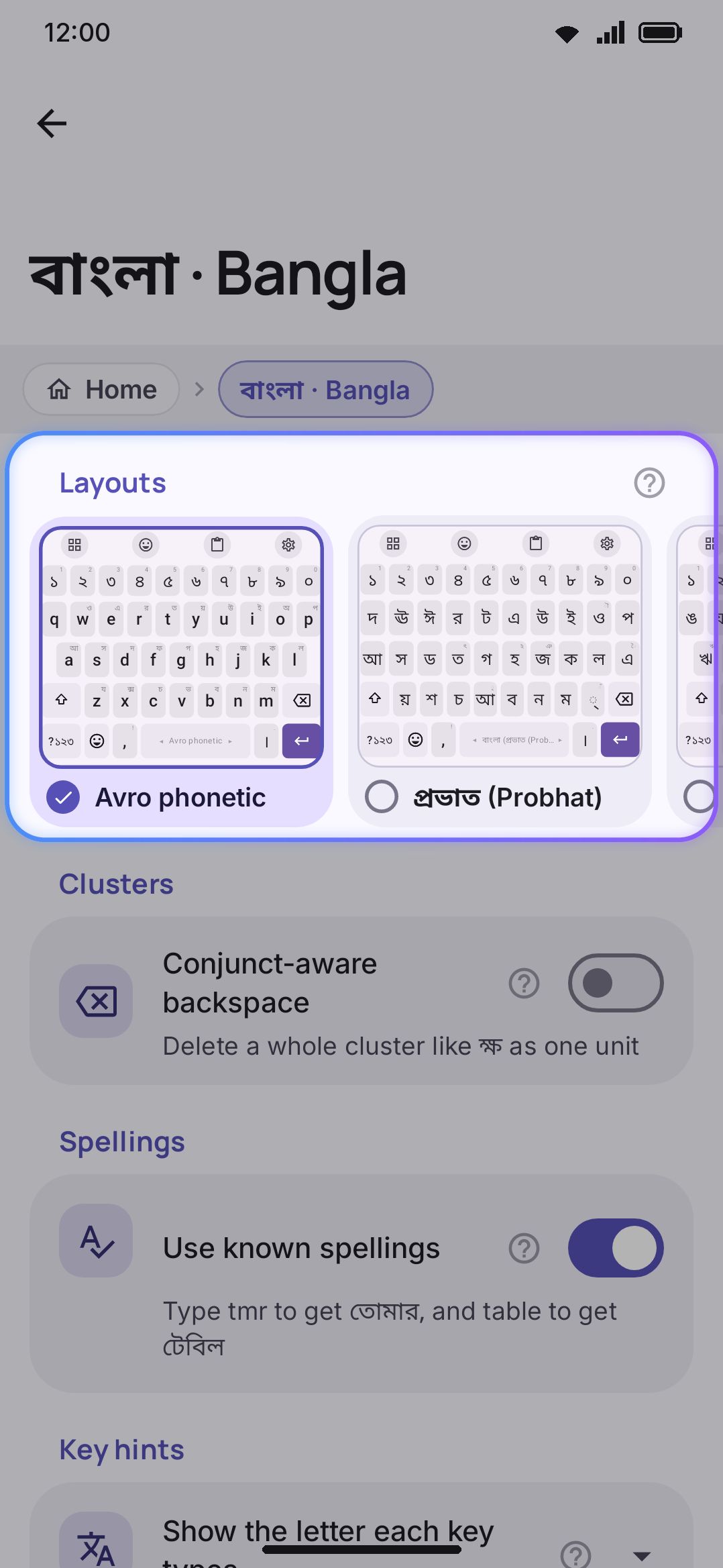
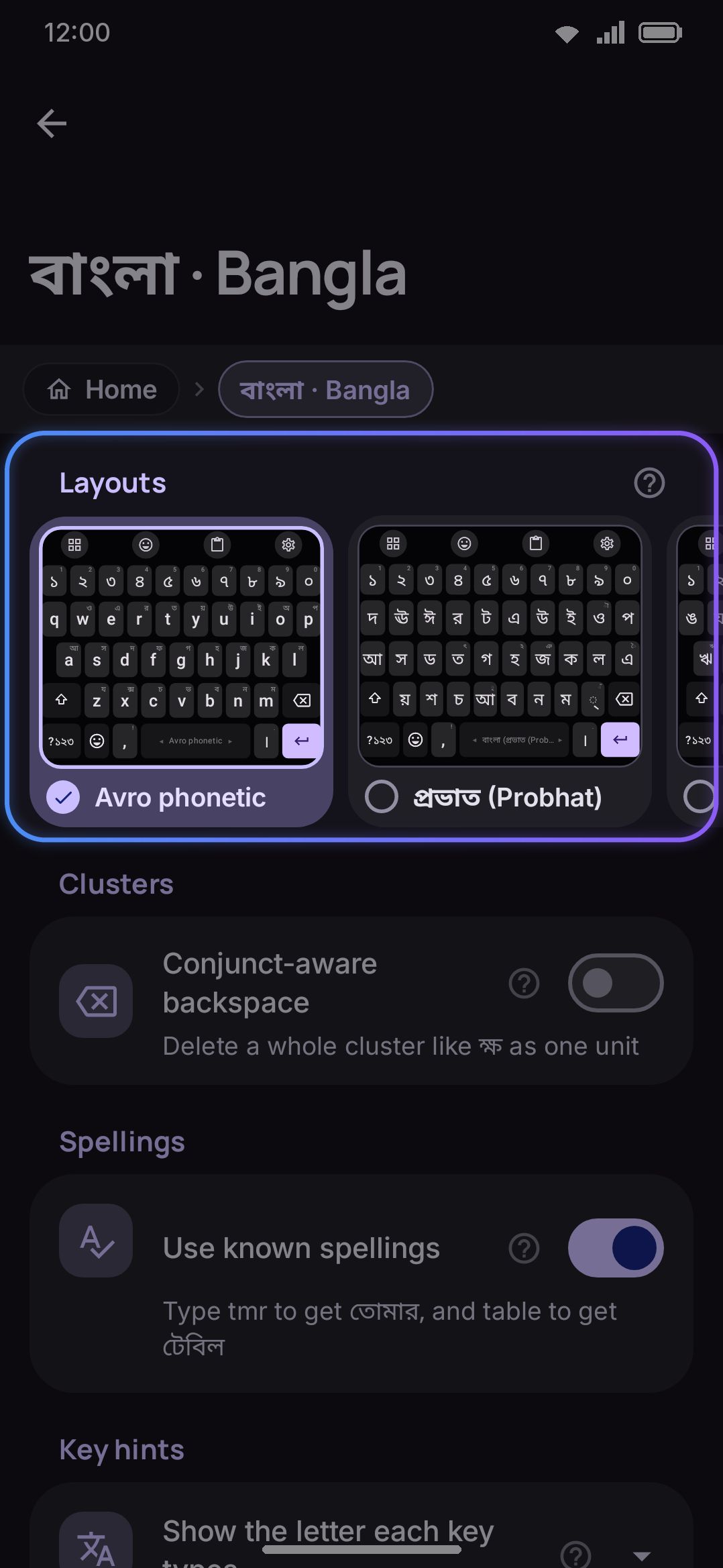
Section titled “Options”Open Bangla’s own screen from Languages in the app, or search for it from Add language:
-
Layouts: one card each for Avro, Probhat, Jatiya, Baishakhi, Bornona, and InScript, each a small preview of that keyboard. Tap a card to turn it on or off; all six are independent. At least one layout has to stay enabled somewhere across your whole keyboard, so you can’t switch off the last one from here.
-
Key hints: WM KeyboardLanguages & layoutsBanglaKey hintsShow the letter each key types, a three-way choice (Off, Added, or Whole letter), off by default. It puts the Bengali letter a key is about to write in its corner. Unlike the settings around it, this one is shared. It’s one setting for every language with a transliterating layout enabled, not just Bangla, and it shows only while such a layout, Avro, is active.
-
Key map: a folded group just below the hints while Avro is on. Open it for the vowels, consonants, joins and signs, the same tables as the Avro key map above, so they work offline. Full guide at the bottom, WM KeyboardLanguages & layoutsBanglaKey mapFull guideNext release, opens this page in your browser.
-
Numerals: two buttons, ০-৯ and 0-9, and Bengali digits win by default. Switch to
0-9if you’d rather see Latin digits on the number row while typing Bangla. Where the digits you pick actually get typed is a separate, global setting under Layout & size → Numerals. It defaults to native digits in text fields only, and plain ASCII in number, phone, date and time fields. -
Also suggest from: pick other enabled languages to draw secondary suggestions from alongside Bangla. With English picked, Avro’s strip also carries the word as you typed it in Latin letters, and an English words group appears right below: Type English words as English makes the space bar write
helloas hello, and Switch on the suggestion strip shows or hides the small button that turns that on and off while you type. See English on Avro and Hindi phonetic. -
Dictionary: Bangla ships with a bundled dictionary, and a downloadable wordlist of about 451,000 words gives better suggestions. You can import your own list too. The downloaded list has no word frequencies of its own, so the bundled list’s ranking is kept over it: without that, every sibling would tie and
sorasoricould commit a rarer word that shares its phonetic key instead of সরাসরি. See Downloadable dictionaries for how sizes compare across languages. -
Emoji: download the larger Bangla emoji-keyword pack here, which names about 3,900 emoji. The bundled catalog’s Bangla keywords already work without it. The pack arrives on its own if Download automatically is on.
-
Spellings: WM KeyboardLanguages & layoutsBanglaSpellingsUse known spellings, on by default. This is the list described above, and it’s what makes
tablecommit টেবিল rather than তাব্লে, andtmrcommit তোমার rather than ত্ম্র. Switch it off if you want the letter-for-letter reading instead, which is otherwise unreachable because the list outranks every other suggestion source. The setting is per language, so turning it off for Bangla says nothing about any other script. -
Dictionary words: WM KeyboardLanguages & layoutsBanglaSpellingsCorrect to dictionary words, on by default. This is the phonetic fold described above, the step that turns
asiinto আছি when you press space. It runs whether or not autocorrect is on, because it’s part of how Avro typing reaches real words. Switch it off and space always commits exactly what the Avro rules spell (asiis আসি); the dictionary words stay in the suggestion strip for you to tap. Known spellings are separate, sotmrstill gives তোমার unless you turn that off too. -
Clusters: WM KeyboardLanguages & layoutsBanglaClustersConjunct-aware backspace, covered above, off by default.
One more setting for Bangla lives outside this screen:
- The Bengali font row, at WM KeyboardAppearanceKeyboard fontBengali font, is one of the per-script font sections. It shows only while a Bengali-script language is enabled, and it’s separate from the general keyboard font. Your choice applies to all six Bangla layouts at once. The section offers the automatic Noto face, eight Bengali-focused Google Fonts, anything in your font library that covers Bengali, and an import button for a
.ttfor.otfof your own. Every script section takes an import, so this isn’t Bengali’s alone.
Details & edge cases
Section titled “Details & edge cases”“Banglish” is a different language, not a mode of this one. Selecting Banglish · Bangla (Romanized) from the language catalogue gives you a plain Latin QWERTY that stays in Latin script (it never converts to Bengali script) and pulls suggestions from its own romanized word list. It has its own emoji keyword pack too: the Bangla keywords in the Latin spellings people chat in (hasi and hashi both find 😀, biral finds the cats, bhat and vat find 🍚), with the English keywords alongside. That’s for people who want to text in Bangla using Latin letters and keep it that way. Avro, covered on this page, is the opposite: it converts what you type into Bengali script. Don’t confuse the two if you’re looking for one and land on the other in search results.
A few other languages share the Bengali script but aren’t the same language entry: Assamese, Bishnupriya Manipuri, and Sylheti all use Bengali-script layouts and Bengali-style numerals, but none of them bundle a dictionary the way Bangla does. If you’re typing one of those, look for it by its own name in the language catalogue rather than under Bangla.
The near-tie protection can feel inconsistent if you don’t know it’s there. Because a phonetic sibling only overrides the literal transliteration when it’s at least twice as frequent, two words that are close in frequency won’t always resolve the way you expect. This is deliberate, so the keyboard never silently swaps in a different word than what the composing preview showed you a moment before you hit space. It only applies to spellings the fixed list doesn’t already name, since a listed spelling settles the commit before frequency is consulted at all.
The layout editor shows both shift labels at once for Probhat and Jatiya keys, even though the real keyboard only shows one label per key state. Many fonts render a bare vowel sign (া, ি) as an orphaned, hard-to-read mark on its own, so the editor shows the base and shift labels side by side purely so you can tell keys apart while editing. This doesn’t change what’s drawn on the actual keyboard.
A rearranged Bangla layout still types Bangla. If you open Probhat, Jatiya, or Avro in the layout editor and move keys around, the result still draws suggestions from the Bangla dictionary and still composes Bengali script. A layout’s language comes from what it’s based on, not from its key arrangement.